Google My Business SEO: Local Rankings That Drive Calls
January 29 , 2026
If you actually spend time on your Google My Business profile, you’ll rank in the Local 3-Pack, get real phone calls, and watch customers walk into your door, all without dropping cash on ads.
This guide shows you exactly how.
What Is Google My Business SEO, Really?
Short answer: it’s the process of making your GMB profile so clear and trustworthy that Google shows it first when people search for what you sell.
Think about your own search habits. You pull out your phone. “Coffee shop near me.” Or “dentist in Dallas.” Or “plumber open now.”
Google doesn’t show you a list of websites. It shows you maps first. And what controls those maps results? Your Google My Business profile. That’s the whole game right there.
Why GMB Matters More Than Your Website Ever Will
Your GMB profile can rank without a single backlink to your site. Your website almost never can.
Here’s what actually matters to local customers:
They search. They call. They show up at your door.
Most do all three within 24 hours.
Your website is important, sure. But Google My Business is where the conversion happens. It’s where they see your hours, read reviews from real people, and decide if they trust you enough to pick up the phone. Search engine optimization services sound technical, but local SEO is about trust and proximity. That’s it.
The numbers tell the story. Businesses that ignore GMB leave 30–40% of potential customers walking through a competitor’s door instead.
How Google Actually Ranks Your GMB Listing
Google doesn’t use magic. It uses three signals.
- Relevance – Does your profile match what people are searching for?
- Distance – How close are you to the person searching?
- Prominence – Do you look trustworthy online?
Everything below this makes one of those three signals stronger. That’s the whole structure.
Step 1: Claim Your Profile (Non-Negotiable)
No verification means no rankings. Period.
Why it matters: Google needs to know you actually own the business. Otherwise, competitors could claim your listing, fake addresses could pop up, and the whole system falls apart.
How to do it:
- Go to Google Business Profile (google.com/business)
- Search your business name
- Click “Claim this business”
- Verify through postcard (slower but most reliable), phone, or email
Pro move: Use your real business address. Not a mailbox. Not a virtual office. The actual place where customers can find you.
Data suggests verified profiles receive significantly more direction requests compared to unverified listings. Research indicates verified profiles are more likely to appear in local pack results, which drives traffic.
Step 2: Fix NAP Consistency (This One Kills Most Businesses)
One mismatch between your name, address, and phone number across the web can tank your trust score with Google.
Why it matters: Google’s algorithm checks if your business info matches across your website, directories, social media, and everywhere else online. When it sees inconsistencies, it stops trusting you. Your rankings drop. Simple as that.
Think about it from Google’s perspective. If your website says “Smith Plumbing” but your Yelp says “Smith’s Plumbing,” which one’s real? Google gets confused. And when Google’s confused, it doesn’t rank you well.
How to fix it:
- Write down your exact business name, address, and phone number
- Check your website
- Check your social media (Facebook, Instagram, LinkedIn)
- Check major directories (Yelp, Apple Maps, local business directories)
- Update everything to match exactly
Use tools like BrightLocal or Moz Local to audit this across 30+ directories at once. Worth the subscription for this alone.
Businesses with 100% NAP consistency rank better than those with inconsistencies. Studies in the local SEO space consistently show NAP alignment as one of the most important ranking factors, often in the top five.
Step 3: Pick the Right Primary Category (One Choice, Big Impact)
Your primary category determines what searches you show up for. Pick wrong, and nothing else matters.
Why it matters: Google uses your category to decide when to show your profile. If you pick “Consultant” but you actually do digital marketing, you’ll rank for the wrong searches. Customers looking specifically for “digital marketing agency near me” won’t see you.
How to choose:
Don’t pick what sounds impressive. Pick what you actually do.
A digital marketing agency should pick “Digital Marketing Agency.” Not “Consultant.” Not “Marketing Company.” It has to be specific.
Secondary categories help, but don’t go crazy. Add 3–4 related services at most. More than that dilutes your relevance.
Real example: A plumber client picked “Plumbing Service” as primary (good). They added “Drain Cleaning,” “Water Heater Installation,” and “Pipe Repair” as secondaries (smart). Within 60 days, they started ranking for “drain cleaning near me” and “water heater repair” specific searches with high buyer intent.
Correctly categorized listings rank more consistently in local pack results. Industry research shows category selection is critical to local visibility and incorrect categories can make you completely invisible for your actual services.
Step 4: Write a Business Description That Converts
Google reads this. Customers trust it. Get it right, and it becomes your strongest conversion tool.
Why it matters: Your business description is the first impression most people get. It’s right there under your name, before they read reviews, before they look at photos. It has to answer one question: “Should I trust this person?”
Here’s what works:
Start with what you do. Be specific. “We help small businesses in Texas rank for ‘near me’ searches” beats “Digital solutions provider” every single time.
Then say where you serve. Geography matters for local intent.
Then mention who you help. B2B? E-commerce? Nonprofits? Say it.
Template that actually works:
“We help [type of customer] in [location] achieve [specific result] through [your method]. [2–3 word proof point].”
Example: “We help dental practices in Dallas-Fort Worth get more patient appointments through cosmetic dentistry expertise and online reputation management. Over 200 patients booked last year.”
Things to avoid:
No keyword stuffing. Google catches it, and it looks desperate. “Plumber plumbing plumbing near me plumbing services” will hurt you more than help.
No links. Google doesn’t allow them here anyway.
Keep it under 750 characters.
Well-written descriptions improve engagement with your profile. Profiles with clear, specific descriptions see higher click-through rates to websites and call buttons compared to vague or generic ones.
Step 5: Add Services and Products (The Hidden Ranking Boost)
Most businesses leave this section blank. That’s a mistake worth hundreds of dollars a month.
Why it matters: When you add services, you create new ranking opportunities. A plumber who just says “Plumbing” ranks for that one thing. A plumber who lists “Drain Cleaning,” “Water Heater Repair,” “Pipe Replacement,” and “Hydro-Jetting” ranks for four different searches. Four times the visibility. Four times the potential calls.
Google uses your services list to understand what you actually sell. The more specific and complete it is, the better you rank for service-specific searches.
How to do it right:
- List every service you actually offer
- Use clear, simple names (not marketing speak)
- Add 1–2 sentence descriptions
- Include your service area if it varies by service
Example service list for a lawn care company:
- Lawn Mowing (Regular maintenance for residential properties in Austin and surrounding areas)
- Landscaping Design (Custom landscape plans for homes and businesses)
- Tree Trimming (Professional tree pruning and removal)
- Mulch Installation
See how each one is specific enough that Google knows exactly when to show it? That’s the goal.
Real numbers: One roofing contractor added 12 specific services instead of just “Roofing.” Within 45 days, they ranked for “roof leak repair,” “new roof installation,” and “roof inspection”, three searches they never showed up for before. Result: 35 new leads that month.
Data shows that businesses with completed services sections rank for more search queries than those without. The services section creates ranking signals for specific service searches that a generic “Plumbing” category cannot capture alone.
Step 6: Photos That Actually Get Clicked
More photos equals more clicks. More clicks means more calls.
Why it matters: People are visual. They want to see your place before they show up. If your GMB has 3 photos and your competitor has 30, they’re getting the clicks.
Google also tracks photo engagement. Photos people click on boost your prominence ranking. It’s a virtuous cycle: better photos get clicks, clicks improve rankings, better rankings mean more people see your photos.
The Photos You Need:
- Your exterior (the actual building people walk into)
- Your interior (what it looks like inside)
- Your team (people trust people, not logos)
- Your work samples (before/afters, past projects)
- Your logo (keeps your branding consistent)
- Your products on display (if applicable)
Optimization That Actually Works
Use real photos. Phone camera photos. Not stock images. People can tell, and they don’t trust stock photos.
Add new photos weekly. Google tracks this. Fresh photos send a signal that you’re an active, real business.
Turn on location data in your phone. Google uses this data to verify you actually took the photos at your business.
Use good lighting. A poorly lit interior photo does more harm than no photo.
Real example: A dental practice went from 8 photos (logo, basic exterior shots) to 30 photos over 4 weeks. They added photos of their reception area, treatment rooms, team members, before-and-afters, and patient testimonial snippets. Their photo views went from 50/month to 200/month. Calls increased 28%.
Listings with more photos receive more engagement. Studies indicate that profiles with 20+ photos see notably higher map views and website clicks compared to sparse listings. Photo engagement is tracked by Google and influences ranking signals.
Step 7: Reviews Are Your Strongest Ranking Weapon
Reviews = trust + rankings. No reviews = no growth.
Why it matters: Google’s algorithm watches two things about reviews: quantity and recency. More recent reviews from more different people tells Google that your business is still good at what it does.
Reviews also influence human decision-making in a huge way. A business with 47 five-star reviews gets clicked more, called more, and visited more than an identical business with 8 reviews. The difference isn’t small.
How Many Reviews You Actually Need
More than your top 3 competitors. Period.
Check what they have. If they have 60, you need 65 minimum.
But steady growth matters more than a sudden spike. Three new reviews a week is better than 20 one week, then nothing for two months.
How to Actually Get Reviews
Ask customers after service. Not via email blast. Actually ask them. Verbally or on a receipt. “If you have a few minutes, we’d love a review on Google.”
Send a direct review link (Google provides this in your GMB dashboard). Make it easy. People will help if you make it simple.
Follow up once. If they don’t review the first time, one gentle reminder works.
How Google Evaluates Your Responses
Reply to every single review. Positive ones, negative ones, all of them. Google tracks this. Your reply rate affects your ranking.
Real numbers: A home services company had 12 reviews. They implemented a simple ask-and-link system. Within 90 days, they had 48 reviews. Their Local 3-Pack ranking jumped from position 5 to position 2 in their market. Calls increased 65%.
Steady review growth is a positive ranking signal. Profiles with consistent new reviews typically rank higher than stagnant listings, even if the stagnant profile has more total reviews. Google values recent activity and customer engagement.
Step 8: Use Keywords the Right Way (No Stuffing, I Mean It)
Keywords go in specific places. Put them everywhere else and Google penalizes you.
Why it matters: Google needs to understand what you do. Keywords help. But stuff them everywhere and your profile looks spammy. Google notices. Profiles get suppressed or suspended for keyword stuffing.
The truth is, you don’t need to cram keywords into every field. You just need them in the right fields, naturally.
Safe keyword zones:
Your business description (do this naturally, don’t force it)
Your services list (this is designed for keywords)
Your review replies (a natural response that mentions a service)
Your GMB posts (organic mentions work here)
Never do this:
Don’t put keywords in your business name. “Smith’s Plumbing & Drain Cleaning & Water Heater Service” instead of “Smith’s Plumbing.” This screams spam and can get your profile suspended.
Don’t keyword-stuff descriptions. If you mention “emergency plumbing,” “plumbing repair,” and “24-hour plumbing” five times each, you’ve killed your credibility.
Real example: A contractor had “Contractor Contractor General Contractor Contractor in [City]” in their name. Google suspended their profile. After they fixed it to just “Smith General Contracting,” it took 3 weeks to get reinstated.
Keyword stuffing carries real penalties. Profiles flagged for spam keyword use experience ranking drops, profile suppression, or suspension. Google’s algorithm is trained to detect and penalize keyword stuffing across all profile fields.
Step 9: Post Weekly on GMB (Your Most Ignored Weapon)
Most businesses have a GMB profile and never post. That’s leaving money on the table.
Why it matters: When you post on GMB, you’re sending a signal to Google: “This business is active. This business is real. This business is worth ranking.”
Posts also give you new ranking opportunities. A post about “summer HVAC specials” can rank for that search. Your static profile might not.
What to post:
Offers. Time-limited deals work. “Spring plumbing special: $99 drain cleaning this week only.”
Updates. New service? “We now offer emergency water damage restoration.”
Events. Grand opening? Booth at a local event? Post it.
Tips. “5 signs your water heater is dying” or “How often to get your roof inspected.” These convert and establish authority.
Posting frequency that works:
Once per week minimum. More during busy seasons.
150–300 words. Long enough to be useful, short enough to read on a phone.
Include an image (people engage more with images).
Include a call-to-action. “Call now,” “Learn more,” “Book today.”
Real example: A tax preparation service posted weekly starting in January. Posts about tax deadline changes, deduction tips, and time-saving strategies. By March, their search queries increased 45%. By April, calls increased 70% compared to the previous year without paid ads.
Regular posting signals active business status. Businesses that post consistently see increased engagement with their profiles. Posting frequency also creates more ranking opportunities for time-sensitive searches.
Step 10: Enable Messaging and Call Tracking
Google favors active, responsive profiles. Make it easy for customers to reach you.
Why it matters: When you enable messaging and call buttons, you’re giving customers multiple ways to contact you. Google notices this. The more interaction methods you enable, the higher your prominence ranking climbs.
Active communication also means faster response times. A customer sees your message feature, sends a quick question, gets an answer within an hour, they’re way more likely to call or visit.
Actions to enable in your GMB dashboard:
Messaging (customers can message you directly from Google)
Call button (one tap to call)
Booking link (if you use an online booking system)
Website link (make sure it goes to your actual site)
Real implementation: A dentist enabled all four. They noticed 15–20 new messages per week (quick questions they answered in under 5 minutes). Most of these people booked appointments. The messaging feature converted at 35%. Without it, these potential patients would’ve just moved on.
Active communication channels improve prominence. Profiles with messaging, calls, and booking enabled show higher engagement metrics, which Google uses as a ranking signal for profile activity and trustworthiness.
Step 11: Track GMB Insights (You Can’t Improve What You Don’t Measure)
Google gives you free data about how customers find and interact with your profile. Use it.
Why it matters: Insights tell you what’s working and what’s not. They show you which searches are bringing customers. Which photos people click. Which days are busiest. This is real market research, and it’s free.
Track these metrics:
Calls – Phone calls directly from your GMB
Direction requests – People asking for directions to your location
Searches – How many times you showed up in search results
Photo views – How often people click your photos
Website clicks – How many people went to your site from GMB
Actions to take with this data:
If “water heater repair near me” is your biggest search query, add more photos of that service. Post about it. Make sure it’s in your services section.
If your “reception area” photo gets zero clicks but your “team photo” gets 80 clicks per month, add more team photos.
If you get 20 direction requests on Friday but only 3 on Tuesday, maybe adjust your staffing or post Friday-focused offers on Tuesdays.
Real example: A home services company noticed 60% of their direction requests came on Friday/Saturday, but they only mentioned “Weekday appointments available” on their profile. They updated their hours and posted “Weekend emergency service available.” Weekend calls increased 40%.
Businesses that actively use GMB insights to guide strategy see measurable improvement. Data-driven optimization: adjusting services, photos, and posting based on what actually converts, consistently outperforms set-and-forget approaches.
Common GMB SEO Mistakes That Kill Your Rankings
Fake addresses. A PO box, virtual office, or address you don’t actually operate from gets you suspended or removed.
Keyword-stuffed business names. “Best Plumber Plumbing Services in Dallas” instead of “ABC Plumbing.” Suspension risk.
Ignoring negative reviews. Don’t respond, and Google sees you as unresponsive. Rankings drop.
No updates. If your profile hasn’t been touched in 6 months, Google deprioritizes it.
Old, blurry photos. One bad photo is worse than no photo.
Wrong category. Pick something unrelated to what you sell, and rank for nothing.
No services listed. Miss ranking opportunities every single day.
Any one of these mistakes can drop you from the Local 3-Pack to position 8+. One mistake.
How Long Until You See Results?
30–90 days, if you do it right.
Variables that matter:
How much competition you have. A plumber in a small town ranks faster than a plumber in Los Angeles.
How many reviews your competitors have. You need to match or beat them.
How consistent your actions are. One week of effort, then nothing, doesn’t work.
Timeline you can expect:
Weeks 1–2: Profile optimized, first posts live, review request systems in place
Weeks 3–6: New reviews coming in, photo engagement increasing, first ranking improvements
Weeks 7–12: Consistent ranking improvements, direction requests increasing, calls picking up
Low-competition markets see results in 30–45 days. High-competition markets take 60–90 days.
Your GMB SEO Checklist
Use this to make sure you’ve hit everything.
Profile Basics:
- ✓ Profile verified through postcard or phone
- ✓ Business name matches everywhere (NAP consistency)
- ✓ Primary category is specific and accurate
- ✓ Business address is your real location
Content:
- ✓ Business description written (under 750 characters, includes what you do and who you help)
- ✓ Services added (at least 5, each with a short description)
- ✓ At least 12 high-quality photos uploaded
- ✓ New photos added weekly
Engagement:
- ✓ Weekly GMB posts scheduled (offers, updates, tips, events)
- ✓ System in place to ask for reviews after service
- ✓ Replies to all reviews (positive and negative)
- ✓ Messaging and call button enabled
Monitoring:
- ✓ GMB Insights checked weekly
- ✓ Keywords tracked in search queries
- ✓ Review volume tracked monthly
- ✓ Trends analyzed and actions adjusted accordingly
Follow this checklist. You’ll win local search.
Frequently Asked Questions About GMB SEO
Q: How long does it take to rank in the Local 3-Pack?
A: Most businesses see results in 30–90 days, depending on competition and how consistently you execute. Low-competition markets rank faster (30–45 days). High-competition markets need 60–90 days. The key is consistency. Do something every week, not a burst of effort followed by nothing.
Q: Can I use a virtual office address for my GMB?
A: No. Google requires a real, physical address where you actually operate and serve customers. Virtual office addresses, PO boxes, and mailbox services violate GMB policies and will get your profile suspended or removed. Use only your actual business location.
Q: How many reviews do I need to rank?
A: You need more reviews than your top 3 local competitors. If they have 60, aim for 65 minimum. But steady growth matters more than total count. Three new reviews per week is better than 20 at once. Quality (star rating) and recency (how recent) also matter.
Q: What’s the difference between GMB posts and a business blog?
A: GMB posts are short (150–300 words), time-limited, and live only on your profile. They’re designed for immediate action (book now, call today). Blog posts are longer, evergreen, and live on your website, they rank in Google Search and generate organic traffic. Both matter, but for different reasons. Use GMB posts for urgency and local visibility.
Q: Can I rank for ‘near me’ searches without local ads?
A: Yes, completely. When you fully optimize your GMB profile with reviews, photos, services, and posts, you rank for ‘near me’ searches organically. You don’t need to pay for ads to show up in the Local 3-Pack or get direction requests and calls.
Q: Does updating my GMB every week really matter?
A: Yes. Google tracks activity. Fresh posts, new photos, and updated information signal that your business is active and real. Profiles that haven’t been touched in months get deprioritized. You don’t need to do much, one post per week plus adding a few photos monthly is enough.
Q: What happens if I get a bad review?
A: Respond to it professionally and quickly. Don’t ignore it. Google tracks review reply rates as part of your prominence ranking. A single bad review with no response looks worse than a bad review with a thoughtful, helpful reply. Most customers understand that one bad experience happens, they care more about how you handle it.
Q: Is GMB SEO hard?
A: No. It’s not hard it’s just consistent. There’s no complex coding, no backlinks to chase, no technical wizardry. You need a weekend to set up your profile correctly, then 2 hours per week to post, monitor reviews, and add photos. That’s it.
Final Word
Here’s what you don’t need to rank locally:
A 5,000-word blog post. Long blogs help with general search engine optimization services, but they’re not how local customers find you.
Complex SEO strategy. Local ranking is straightforward.
A big budget for ads. GMB is free.
Here’s what you actually need:
A clean, complete GMB profile (takes a weekend).
Consistent actions every week (2 hours max).
Real trust signals — reviews and active engagement.
Do this right, and local customers will find you first. No ads. No confusion. Just calls and foot traffic from people who actually want what you sell.
And honestly? If you can follow a checklist, you can dominate your local market.
Popular Post
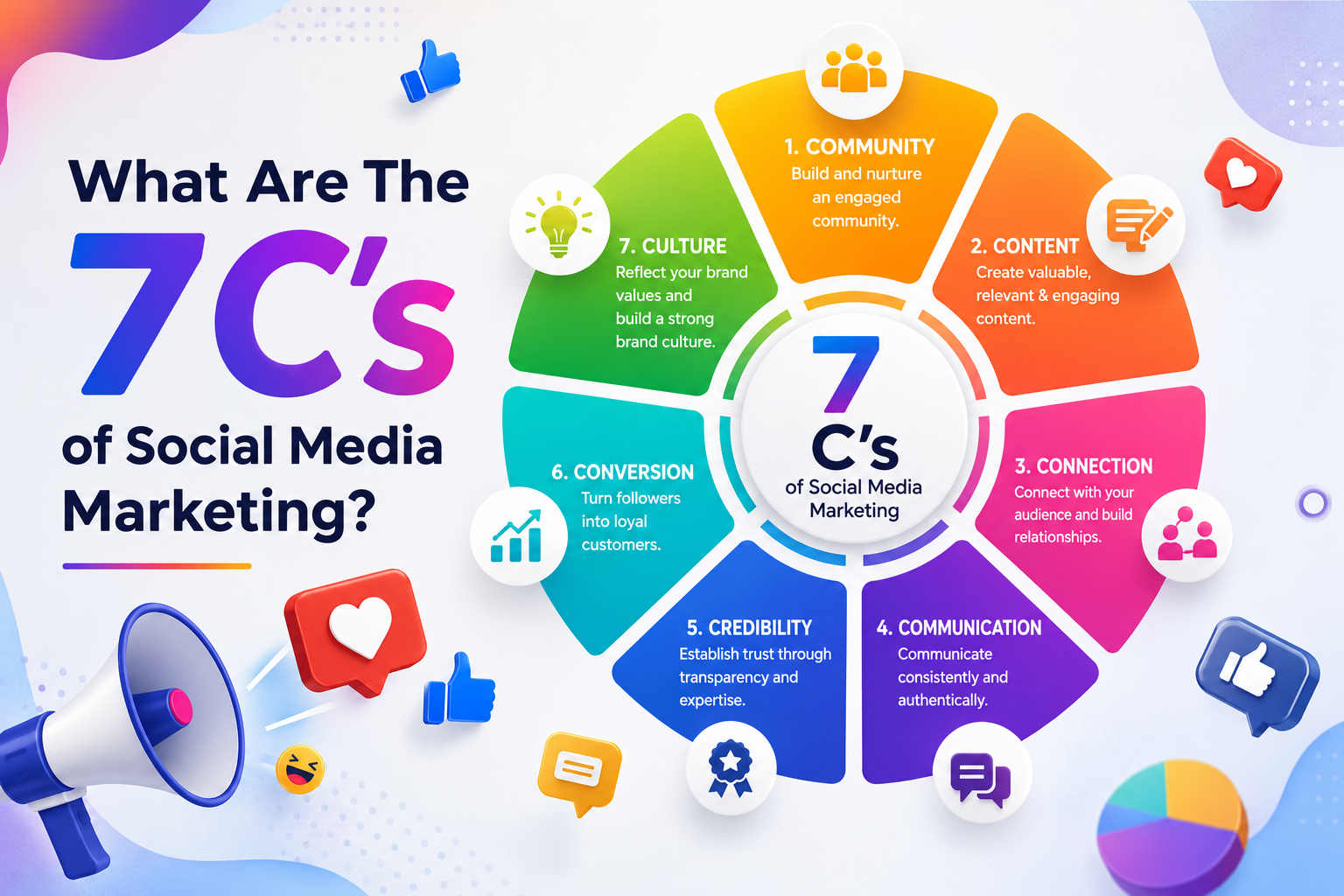
What Are The 7 Cs of Social Media Marketing?
The 7 Cs of Social Media Marketing are Content, Community, Conversation, Connection, Consistency, Credibility, and...
Google Removed FAQ Rich Results, But FAQs Still Help AI Find and Cite Your Website
Short Answer: Yes, FAQs Still Matter More Than Ever Google removed FAQ rich results. A...

How Social Proof and Trust Signals improves Conversion Rate
Social proof and trust signals work. Full stop. Products with just 5 reviews sell 270%...
