Getting Website Traffic but No Leads? How to Improve Conversions
November 19 , 2026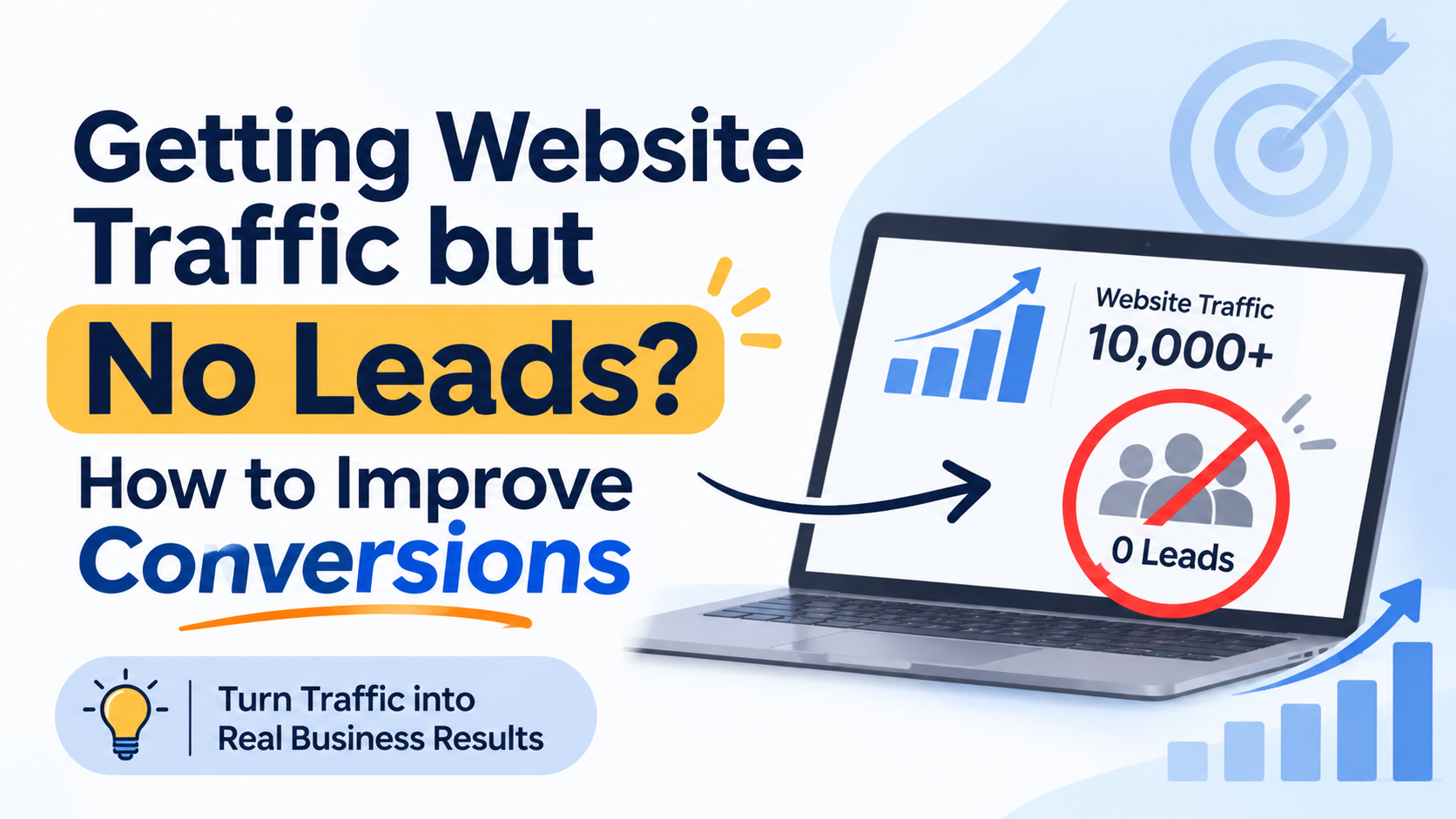
Your website is getting visitors, but are those visitors becoming customers?
Many businesses invest in SEO, Google Ads, and social media marketing to increase website traffic. Their visitor numbers may grow, but enquiries and sales do not always increase at the same rate.
Visitors land on the website, check a few pages, and leave without filling out a form, calling the business, or requesting a quote.
This can be frustrating, especially when you are already spending money on marketing.
The problem may not be your traffic. Your website may not be giving visitors enough information, confidence, or direction to take the next step.
For example, visitors may not understand your services, find the contact form difficult, or struggle to use your website on mobile devices.
This is where Conversion Rate Optimization (CRO) becomes important. CRO helps identify what is stopping visitors from taking action and improves the website experience to generate more enquiries from existing traffic.
Why Is Your Website Getting Traffic but No Enquiries?
Before making changes, you need to understand why visitors are not contacting your business. Here are some common reasons.
1. Your Website Does Not Clearly Explain Your Services
Visitors should understand what your business offers within a few seconds.
If your homepage has a general headline or your service pages contain unclear information, visitors may struggle to understand whether your business can solve their problem.
Explain your services in simple language. Focus on the problems you solve, the people you help, and the results customers can expect.
2. Your Landing Page Does Not Match Visitor Expectations
Imagine someone clicks a Google Ads campaign for custom software development but lands on a general homepage.
They must now search for the service they were already interested in. This creates unnecessary effort and may cause them to leave.
Your landing page should match the advertisement, keyword, or link that brought the visitor to your website.
3. Your Call-to-Action Is Not Clear
Visitors may be interested in your services but still not know what to do next.
Buttons such as “Learn More” or “Click Here” do not always explain the action clearly.
Use direct CTAs such as “Request a Quote”, “Book a Consultation”, or “Talk to Our Team”.
4. Your Contact Form Asks Too Many Questions
A long contact form can discourage potential customers.
If visitors must provide too many details before speaking with your team, they may decide not to continue.
Ask only for the information you need to start a conversation. You can collect additional project details later.
5. Your Website Is Difficult to Use on Mobile
Many visitors browse business websites using their phones.
Small text, slow loading, difficult navigation, and buttons that are hard to tap can make it difficult to contact your business.
Check your important pages on different mobile devices. Visitors should be able to understand your services and submit an enquiry without difficulty.
6. Your Website Does Not Build Enough Trust
Visitors may hesitate before sharing their contact details with a business they do not know.
Missing customer reviews, testimonials, case studies, project examples, and contact information can create doubt.
Show genuine proof that helps visitors understand your experience and the quality of your work.
What Is Conversion Rate Optimization (CRO)?
Conversion Rate Optimization is the process of improving a website so more visitors complete an important action.
A conversion does not always mean a purchase. For a business website, it may include:
Submitting a contact form
Requesting a quotation
Booking a consultation
Calling your business
Requesting a product demonstration
Signing up for a service
The conversion rate shows the percentage of visitors who complete the selected action.
Conversion Rate Formula:
Conversion Rate = (Number of Conversions ÷ Total Visitors) × 100
For example, imagine your website receives 10,000 visitors and generates 100 enquiries.
Your conversion rate is 1%.
If the same number of visitors generates 150 enquiries, the conversion rate becomes 1.5%.
This is an illustrative example, not a guaranteed result.
The goal of CRO is to understand visitor behavior, identify problems, and improve the website experience. It helps businesses get more value from their existing traffic instead of depending only on increasing visitor numbers.
How to Improve Website Conversions
Once you understand the possible problems, you can start improving the visitor experience. These practical changes can help visitors move from browsing to enquiring.
1. Create Landing Pages That Match Visitor Intent
A landing page should quickly answer three questions:
What does your business offer?
How does your service solve the visitor’s problem?
What should the visitor do next?
A useful landing page should include:
A clear and relevant headline
A short explanation of the service
Benefits that address customer problems
Relevant images or project examples
Genuine customer testimonials
A visible call-to-action
A simple enquiry form
For example, someone searching for custom software development should reach a page explaining your software development services, process, and benefits.
Sending that visitor to a general homepage may make it harder to find the information they need.
Your landing page content should match the visitor’s search intent and the message used in your advertisement.
2. Write Clear and Action-Focused CTAs
A call-to-action (CTA) tells visitors what to do next.
Your CTA should describe the action clearly and make the next step easy to understand.
Consider these examples:
| Less clear CTA | More action-focused CTA |
| Learn More | Explore Our Services |
| Click Here | Request a Quote |
| Submit | Send Your Enquiry |
| Contact | Book a Consultation |
Follow these practices when adding CTAs:
Use direct, action-based wording.
Place the main CTA near the top of the page.
Repeat it at relevant points on longer pages.
Make buttons easy to see and tap.
Focus on one main action for each landing page.
Explain what happens after the visitor clicks.
For example, if your goal is to generate project enquiries, use “Discuss Your Project” instead of a vague button label.
3. Make Your Contact Forms Simple
Your contact form is an important step between visitor interest and a business enquiry.
If the form feels difficult or asks for unnecessary information, visitors may leave before completing it.
Improve your forms by following these practices:
Ask only for essential information.
Use clear labels for every field.
Make forms easy to complete on mobile.
Show helpful error messages.
Explain why sensitive or additional information is needed.
Use a clear submit button.
Display a confirmation message after successful submission.
For B2B businesses, you may need details about the project, budget, or requirements. However, ask only for the information needed at the first stage.
You can collect more details when your sales team follows up.
4. Improve Website Speed and Mobile Experience
A slow or difficult website can interrupt the visitor journey.
Even when visitors are interested in your services, they may leave if important pages take too long to load or are difficult to use.
Focus on these improvements:
Compress large images.
Reduce unnecessary scripts.
Improve mobile page layouts.
Make buttons easy to tap.
Use readable font sizes.
Keep navigation simple.
Review Core Web Vitals.
Test important pages on different devices.
Your website should make it easy for visitors to find information and contact your business.
5. Add Genuine Trust Signals
Visitors want to know whether your business is reliable before sharing their details.
Add relevant trust signals to important service and landing pages, such as:
Genuine customer reviews
Relevant case studies
Client testimonials
Industry experience
Relevant certifications
Clear business contact information
Transparent service details
Real project examples
Do not add claims or customer results that you cannot verify. Genuine information is more useful than exaggerated promises.
6. Match Website Content With Customer Intent
Not every visitor is ready to contact your business immediately.
Some visitors are researching a problem. Others are comparing service providers. Some are ready to request a quotation.
Your website should provide useful information for each stage.
| Visitor stage | What the visitor needs | Suitable website content |
| Research | Understand the problem | Educational blogs and guides |
| Comparison | Compare available solutions | Service pages and comparisons |
| Decision | Build confidence | Case studies and testimonials |
| Action | Contact the business | Enquiry forms and clear CTAs |
This also connects conversion optimization with SEO and content strategy. Relevant content attracts the right visitors and helps them make informed decisions.
How to Identify Where Website Visitors Are Dropping Off
Website traffic reports show how many people visit your website. However, they do not always explain why visitors leave without enquiring.
You need to understand what visitors do after arriving.
Google Analytics 4 (GA4)
GA4 helps businesses understand website traffic and user interactions.
You can use it to review:
Which pages attract visitors
Which traffic sources bring visitors
Which pages generate conversions
Which devices visitors use
Which important events are completed
How users move through selected website journeys
Review this information regularly to identify pages that receive traffic but generate few enquiries.
Heatmaps
Heatmaps show how visitors interact with a webpage. Depending on the tool, they can show clicks, scrolling activity, and areas receiving attention.
They can help you understand:
Which buttons visitors click
Which sections receive attention
Whether important content is being missed
Whether visitors interact with elements that are not clickable
This information can help identify possible usability problems.
Session Recordings
Session recordings provide visual replays of website interactions, depending on the tool and its privacy settings.
They may help identify:
Repeated clicks on non-clickable elements
Confusing navigation
Form errors
Difficult mobile interactions
Unexpected exits
Use these tools responsibly. Apply suitable privacy, consent, and data protection controls, and avoid collecting unnecessary personal information.
Form Tracking
Form tracking helps you understand whether visitors start and complete your enquiry process.
Useful events may include:
Form started
Form field errors
Form submitted successfully
Thank-you page viewed
A form button click does not always mean that an enquiry was successfully submitted. Track successful submissions separately.
Why Is Conversion Tracking Important?
Businesses running Google Ads, social media campaigns, or other paid marketing activities need to understand which activities generate enquiries.
Without reliable conversion tracking, you may know how many people clicked your advertisement but not how many completed an enquiry.
Important conversion actions to track include:
Successful form submissions
Google Ads conversion actions
Phone number clicks
WhatsApp clicks
Thank-you page views
Lead sources
Lead status in your CRM
For example, a visitor may click a phone number but not complete a call. Similarly, clicking a form’s submit button does not confirm that the form was successfully received.
Track meaningful actions and verify that the tracking works correctly.
It is also important to separate a website enquiry from a qualified lead. Not every enquiry will match your services, budget, or target customer profile.
Reliable tracking helps you understand both marketing performance and lead quality.
How to Improve Lead Quality, Not Just Lead Quantity
Getting more enquiries does not always mean getting more customers.
If your website attracts visitors who are not suitable for your services, your sales team may spend time on enquiries that are unlikely to become business.

To improve lead quality:
Explain your services clearly.
Describe the customers your services are suitable for.
Ask a few useful qualifying questions.
Track where each enquiry comes from.
Separate genuine enquiries from spam.
Connect enquiry forms with your CRM.
Follow up with potential customers quickly.
Use lead scoring when it suits your sales process.
Businesses can also use marketing automation and AI-based lead scoring to organize incoming enquiries.
For example, an automation system can categorize enquiries based on service requirements, send notifications to the sales team, and highlight high-priority enquiries for follow-up.
The goal is not simply to collect more contact details. It is to help your team focus on relevant business opportunities.
Common Website Conversion Mistakes Businesses Should Avoid
Small website problems can create unnecessary barriers for potential customers.
Avoid these common mistakes:
Sending every visitor to the homepage: Visitors may struggle to find the specific service they need.
Using unclear headlines: People may not understand what your business offers.
Adding too many CTAs: Multiple competing actions can confuse visitors.
Asking too many form questions: Long forms can discourage enquiries.
Ignoring mobile visitors: A difficult mobile experience can cause visitors to leave.
Hiding contact information: Visitors should not have to search for ways to reach you.
Using irrelevant stock images: Generic visuals may not explain your actual services.
Ignoring customer proof: Missing genuine testimonials and case studies can reduce confidence.
Ignoring website speed: Slow pages can interrupt the visitor experience.
Running ads without conversion tracking: You may not know which campaigns generate enquiries.
Changing pages without reviewing data: Changes based only on assumptions may not solve the actual problem.
Measuring success through traffic alone: More visitors do not automatically mean more business.
Review your website regularly and fix problems based on visitor behaviour and business goals.
How A/B Testing Helps Improve Website Conversions
A/B testing compares two versions of a webpage or an element to understand which performs better for a specific goal.
For example, you can test:
Two different headlines
Different CTA button wording
Two contact form layouts
Different page designs
Different images
Different content placement
A simple A/B testing process looks like this:
Identify a problem using website data.
Create a clear idea for improvement.
Prepare two versions of the element or page.
Run the test with suitable traffic.
Measure the selected conversion goal.
Review the results before making a permanent change.
Do not declare a winner based on a small number of visitors or enquiries. Consider sample size, test duration, and statistical confidence.
A/B testing works best when it is based on a clear problem and a measurable business goal.
How to Create a Website That Turns Visitors Into Leads
Improving website conversions is an ongoing process. Use this action plan to get started.
Step 1: Review your website traffic. Identify your main traffic sources and highest-traffic pages.
Step 2: Find pages with low conversions. Compare visitor numbers with actual enquiries.
Step 3: Review the visitor experience. Check page content, navigation, mobile layout, and contact forms.
Step 4: Improve your landing pages. Make your message, benefits, and CTA clear.
Step 5: Set up conversion tracking. Track successful forms, calls, and other important actions.
Step 6: Test improvements. Use visitor behaviour data and A/B testing where suitable.
Step 7: Review lead quality. Check whether enquiries match your business services and target customers.
Step 8: Keep improving. Review performance regularly and fix new problems as they appear.
You do not need to change your entire website at once. Start with the pages that receive the most relevant traffic and have the biggest enquiry problems.
How Conversion Rate Optimization Can Help Your Business
If your website receives visitors but does not generate enough enquiries, a structured CRO process can help identify the reasons.
Professional Conversion Rate Optimization work can include:
CRO Audit: Review website pages and identify possible conversion barriers.
Landing Page Optimization: Improve page content, layout, and relevance to visitor intent.
Heatmap and Session Recording Analysis: Understand how visitors interact with important pages.
Form Optimization: Reduce unnecessary steps and improve the enquiry experience.
A/B Testing: Compare changes using measurable conversion goals.
CRO Consulting: Build a practical improvement plan based on website data and business goals.
The right improvements depend on your website, audience, traffic sources, and conversion goals. A CRO audit can help you decide where to start instead of making random design changes.
Learn more about Conversion Rate Optimization services and how a data-led approach can help improve your website’s ability to generate enquiries.
Frequently Asked Questions
1. Why is my website getting traffic but no leads?
Your website may have unclear messaging, weak CTAs, complicated forms, or poor mobile usability. Review visitor behaviour and conversion data to identify the actual problem.
2. How can I convert website visitors into leads?
Improve your landing pages, use clear CTAs, simplify contact forms, display genuine trust signals, and track successful enquiries.
3. What is a good website conversion rate?
There is no single conversion rate that suits every business. It depends on the industry, traffic source, audience, offer, and conversion goal. Compare your performance with your own past results and relevant industry benchmarks.
4. What is Conversion Rate Optimization?
CRO is the process of improving a website so more visitors complete a desired action, such as submitting a form or requesting a quotation.
5. How can I track website leads in GA4?
Set up relevant events for successful form submissions, phone clicks, and other important actions. Check that these events fire correctly and mark suitable events as key events in GA4.
6. Do landing pages improve conversion rates?
Relevant landing pages can make it easier for visitors to find the information they need. Their performance depends on the page content, design, audience, and offer.
7. How can I improve my contact form submissions?
Remove unnecessary fields, use clear labels, improve mobile usability, display helpful error messages, and confirm successful submissions.
8. Can CRO reduce my Google Ads costs?
CRO can help improve the results you get from existing paid traffic. However, advertising costs also depend on bidding, competition, campaign quality, and other factors. CRO does not guarantee lower ad costs.
Conclusion: Turn More Website Visitors Into Business Enquiries
Getting more website traffic is only one part of digital growth. Your website must also guide visitors toward taking action.
If people are visiting your website but not contacting your business, review your landing pages, service information, CTAs, contact forms, mobile experience, and conversion tracking.
Start by identifying where visitors drop off. Make improvements based on real data, and test whether those changes help.
You do not always need more traffic to generate more opportunities. Sometimes, your website needs to do a better job of converting the visitors you already have.
Getting website traffic but not enough enquiries?
Let’s identify what is stopping visitors from converting and improve your website’s performance.
Popular Post
Getting Website Traffic but No Leads? How to Improve Conversions
Your website is getting visitors, but are those visitors becoming customers? Many businesses invest in...

AI Agents vs. AI Chatbots: Which Is Better for Your Business?
Businesses want faster customer support, better lead management, and less manual work. However, choosing the...
How to Automate Lead Generation and Follow-Ups Using AI
Many businesses spend money on marketing to generate leads. They run Google Ads, publish social...
