Best SEO Tools for Small Business that We Use
February 13 , 2026
The landscape of SEO has shifted fundamentally. It’s no longer about manually creating content or digging through spreadsheets for keywords. Artificial intelligence now handles the heavy lifting, writing, optimization, analysis, strategic recommendations. The question isn’t whether to use AI in your SEO workflow. It’s which tools to choose.
This guide separates the real AI-powered tools from the analytics platforms that support your strategy. You need both, but they serve different purposes. AI tools create and optimize. Analytics platforms measure and inform.
Understanding the Two Layers of Modern SEO Tools
Before diving into specific tools, here’s something that matters: not every tool claiming to use “AI” actually uses it in meaningful ways.
AI-Powered Tools use machine learning and natural language processing as their core capability. They’re engines that make decisions, write, analyze content semantics, and optimize based on deep pattern recognition. Examples include ChatGPT writing your content, Clearscope analyzing what makes content rank, or Surfer SEO optimizing your pages using algorithmic insights. You’re getting intelligence that improves your output directly.
Analytics and Research Platforms aggregate data, crawl websites, and provide dashboards. Semrush scrapes search engines to show you keywords. Ahrefs crawls the web to show you backlinks. They’re incredibly valuable for SEO strategy, but they’re not AI tools in the modern sense. They’re data platforms with some machine learning sprinkled in for predictions and suggestions.
You need both layers. AI tools help you produce and optimize. Analytics platforms help you decide what to produce and measure success. Let’s walk through each layer clearly.
PART 1: AI-POWERED CONTENT CREATION & OPTIMIZATION TOOLS
These are the tools that use artificial intelligence as their main engine. They’re changing how people write, optimize, and distribute content for search.
ChatGPT Plus with Custom Instructions: The Foundation
What it actually does:
ChatGPT is a large language model that generates text based on prompts. Sounds simple, but when you set up custom instructions, it becomes your personalized writing assistant that understands your brand, audience, and SEO requirements before you even start typing.
Why this is where most teams should start:
It’s the lowest-cost AI tool available to most people. You pay $20 monthly. That gives you access to GPT-4, which handles 80% of content creation work competently. Most other tools are faster at output, but ChatGPT is where you learn to think about AI-assisted writing.
How to implement it properly:
Create a detailed system prompt in your ChatGPT settings. Something like this works: “You write SEO blog posts for the [industry] industry. Your target audience includes [specific personas]. Your brand voice is [description, conversational, technical, funny, whatever fits]. Always include real data and statistics. Write for eighth-grade readability. Structure posts with clear H2 and H3 headings. Include keyword variations naturally. Make sentences conversational with contractions. Avoid business jargon unless explaining industry-specific terms.”
Now when you prompt ChatGPT for content, it comes back already understanding your requirements. You’re not starting from a blank slate. You’re editing something that’s 70% already right instead of writing from zero.
Pricing in 2026:
$20 per month for ChatGPT Plus. This is the entry point that’s remained stable.
Real-world proof:
A B2B marketing director used ChatGPT Plus with custom instructions instead of paying $249/month for Semrush’s content tools. She lost about 15% speed on pure output volume, but gained complete control over tone and messaging. Her team published 40 articles monthly with minimal editing. That’s real output at a fraction of premium tool costs.
Jasper: Production-Grade Content at Scale
What it does:
Jasper is built specifically for marketing. You give it a topic, target keywords, brand guidelines, and tone. It generates long-form content, blog posts, email sequences, social content, that’s more polished and faster than ChatGPT alone.
Why teams choose it over ChatGPT:
Speed. Jasper is optimized for marketing output. Templates exist for every content type. You select a template, fill in three fields, and get a draft in 60 seconds instead of writing custom prompts. For teams publishing dozens of pieces monthly, this matters.
How to actually use it:
Start by uploading 3-5 of your best-performing articles into Jasper. The AI learns your voice and style. Then give it a keyword you want to target, basic outline points, and let it draft. You’ll edit, but you’re working from something solid instead of imagination.
The editing step is crucial. Jasper gets you 70% there. Your writers finish it. This hybrid approach keeps quality high while crushing output time.
Pricing in 2026:
Jasper’s pricing restructured since earlier years. Pro plan (which is now the entry point) runs $59 per month when paid annually. Business plan requires custom quotes. Teams typically use Pro because the monthly output limits and AI credits work for most small-to-medium operations.
Real proof:
An ecommerce company used Jasper to increase published content from 4 articles monthly to 16 articles monthly. They didn’t add staff. Same three writers, but with Jasper handling the first draft, editing time dropped dramatically. They targeted 50 new keywords with fresh content. Within four months, organic traffic jumped 65%.
Clearscope: AI-Powered Content Optimization
What it does:
Clearscope analyzes the top-ranking pages for your target keyword. Then it shows you what topics, subtopics, and keywords those pages cover. It’s like reverse-engineering success. You see exactly what makes content rank.
Why this is different from other tools:
Most tools tell you keyword difficulty. Clearscope tells you semantic requirements. It says “the top 10 results all mention these 23 subtopics. If you want to rank, you need to comprehensively cover at least 18 of them.” That’s actionable intelligence.
How to implement it:
Research your target keyword in Clearscope. Get the content brief. It shows you the recommended article structure, target word count (usually 2,000-4,000 words), and a checklist of subtopics to cover. Write or edit your content against that checklist. You’re now creating content designed to compete with rank one.
Pricing in 2026:
Clearscope’s standard plan runs around $200-300 monthly depending on your search volume needs. There are lower tiers, but this is the realistic cost for serious use.
Real impact:
A tech blog researched “machine learning for healthcare” and found top results averaged 4,200 words and covered 52 subtopics. Their previous attempt was 2,100 words with 18 topics. Using Clearscope’s brief, they rewrote comprehensively. New version outranked four of the original top 10 results within 60 days.
Surfer SEO: AI On-Page Optimization Engine
What it does:
Surfer analyzes everything that matters for on-page ranking, keyword usage, structure, readability, word count, heading distribution, image usage, semantic relationships. It then scores your page against competitors and tells you exactly what to change.
Why it matters:
On-page optimization isn’t guessing anymore. Surfer shows you the exact density of your target keyword, related keywords you should mention, optimal paragraph length. You edit your content against real competitive data.
How to use it:
Write or paste your draft into Surfer. Add your target keyword. Surfer analyzes the top 10 ranking pages and gives you recommendations. If it says “use the keyword 1.2% of the time,” you adjust. If it says “mention ‘machine learning applications’ 4 times,” you add it. You’re optimizing against actual data from rank one.
The interface shows you a real-time score. Most people aim for 80+ score before publishing.
Pricing in 2026:
Surfer’s Pro plan is $99 per month. Business plan for teams runs $199 per month. Most individual content creators and small teams use Pro.
Proof:
A financial blog optimized 20 existing articles using Surfer. Average position improved from 8 to 5 without creating new content. Just smarter optimization of what already existed. That’s traffic growth from effort, not new pages.
Frase: AI Research + Writing + Optimization Combined
What it does:
Frase combines three things. It researches what content ranks for your keyword (like Clearscope). It helps you write (like Jasper). Then it optimizes (like Surfer). One tool, three layers.
Why use it instead of mixing three tools:
Integration. Data flows between layers. When you write, Frase suggests where to add related keywords because it knows what Frase found in the research phase. Workflow is smoother than jumping between tools.
How to implement it:
Create a new brief for your keyword. Frase researches and shows you the competitive landscape. You write or paste content into the editor. The editor shows real-time recommendations based on the research. You optimize inline while writing instead of writing first, then optimizing.
Pricing in 2026:
Frase’s Starter plan is $99 per month. Team plan is $250 per month. Most individuals use Starter.
Real numbers:
A health and wellness blog switched from three different tools to Frase and reduced their research-to-publish time by 40%. They weren’t faster writers. The integrated workflow eliminated switching costs. In six months, they published 25% more articles with the same team size.
Copy.ai: Shorter Content and Quick Wins
What it does:
Copy.ai generates shorter content, social media posts, meta descriptions, email subject lines, ad copy, headlines. It’s not for 2,000-word blog posts. It’s for the quick work that needs speed.
Why it matters:
Meta descriptions appear in every search result. A weak description saying “Click here” gets fewer clicks than one explaining what value the page provides. Copy.ai generates better descriptions fast. Same with email subject lines and social posts.
Important note about Copy.ai’s evolution:
Copy.ai has evolved into an enterprise-focused platform. The days of $49/month individual plans are gone. It’s now positioned for businesses with bigger budgets.
Current pricing in 2026:
Copy.ai’s pricing starts at $2,000 per month for their Expansion plan. This is a significant jump from how it was positioned years ago. For individuals and small teams, it’s no longer competitive. Use ChatGPT Plus or Jasper instead.
When it still makes sense:
Large agencies or enterprise marketing teams that need team collaboration, content approval workflows, and AI features integrated into broader platforms might still consider it. For most others, the price doesn’t match the value.
MarketMuse: Content Gap Analysis with AI
What it does:
MarketMuse analyzes your content against top-ranking content for your target keyword. It identifies gaps, what successful pages cover that yours doesn’t. It’s strategic research before writing.
Why use it:
You can’t out-rank a page that’s more comprehensive than yours. MarketMuse makes this visible. Top 10 articles cover 42 subtopics. Yours covers 15. Now you know what to add.
How to implement it:
Research a keyword. MarketMuse generates a detailed content brief. Use that brief as your outline. Write against it. Your content is now designed to compete comprehensively.
Pricing in 2026:
MarketMuse’s individual plans start around $150-200 per month depending on your search volume needs. Team plans cost more.
Proof:
A productivity software company used MarketMuse to research “project management tools for remote teams.” The brief revealed top content covered 48 topics including collaboration features, security, integrations, pricing, and customer support. Their comparison article only covered 18. They rewrote to be comprehensive. Result: ranked #3 within 90 days.
PART 2: AI-ASSISTED IMAGE OPTIMIZATION
Images are content. Google indexes them. Pinterest SEO depends on them. Optimizing images is part of AI-powered SEO now.
TinyPNG and TinyJPG: Lossless Compression
What it does:
Compresses image files while keeping visual quality. An image that was 2MB becomes 200KB. Same look. Way smaller file.
Why this matters:
Large image files tank Core Web Vitals scores. Large files slow page load. Slow pages lose rankings. This is direct correlation. One ecommerce site reduced average image file size by 65%. Their page load time dropped from 4.2 seconds to 2.1 seconds. Search visibility improved 23% the following month.
How to use it:
This is simple. Before uploading images to your site, run them through TinyPNG. Download the compressed versions. Upload those instead. Takes 30 seconds per image.
Pricing in 2026:
Free version allows 20 images monthly. The Paid plan is $35 per month for unlimited compression. Most professional sites use Paid because limiting yourself to 20 images monthly isn’t realistic.
Real impact:
A fashion photography blog had 400 product images averaging 3.5MB each. Total image weight was 1.4GB. They compressed everything. Site load time dropped from 52 seconds to 8 seconds. They immediately ranked higher for 47 fashion keywords.
Img2Go: Batch Conversion and Format Optimization
What it does:
Like TinyPNG but with additional features. It converts image formats (JPG to WebP), resizes in batches, and applies advanced compression.
Why WebP format matters:
WebP is a modern format that’s 20-30% smaller than JPEG while maintaining quality. All major browsers support it now. Converting your image library to WebP plus compression can reduce total file size 40-50%.
How to implement it:
Export your image library. Batch convert to WebP format. Then compress. You’ll see dramatic size reduction compared to original JPEGs.
Pricing in 2026:
Free tier with watermarks exists. Paid plans start around $23 per month for credit-based usage. You’re paying per conversion, not per tool.
Proof point:
An online course platform with 2,000+ instructional images converted to WebP and compressed. Total image weight dropped from 3.2GB to 800MB. Core Web Vitals improved from “poor” to “good.” Mobile rankings improved measurably within 30 days.
AI Alt Text Generators: Accessibility Meets SEO
What it does:
AI analyzes images and automatically generates descriptive alt text. This is crucial for images where you don’t have time to write custom descriptions manually.
Why this matters for SEO:
Google uses alt text to understand images. Alt text saying “image” helps nobody. Alt text saying “blue wool winter coat size medium” helps both accessibility and image search visibility.
How to use it:
Most modern ecommerce platforms (Shopify, WooCommerce) now have built-in AI alt text generators. For sites without built-in tools, standalone generators exist. Run them on your product images. The AI generates descriptions. Review and adjust if needed.
Pricing in 2026:
Many are now free or built directly into your platform. Premium standalone generators run $20-40 monthly. Given the SEO and accessibility benefits, this is worthwhile if your platform doesn’t include it.
Real impact:
An ecommerce store with 5,000 products had zero alt text on product images. They used AI generators to add descriptions to all 5,000. Google Image Search impressions jumped 47% within two months. That sent 340+ clicks monthly to their store from image search alone.
Canva: Design at Scale for Visual SEO
What it does:
Design tool with templates for every format, blog images, Pinterest pins, social posts, infographics. Anyone can create professional-looking visuals without design skills.
Why it matters:
Visual content gets shared more. Better visuals mean better engagement metrics, which Google considers. Plus, properly sized, optimized visuals load faster.
How to use it:
Use Canva’s templates specific to your platform. Design batches of visuals monthly. Your blog posts, pins, and social content all look cohesive and professional.
Pricing in 2026:
Free version has basic templates. Pro is $13 per month (monthly subscription) or about $108 annually if paid yearly. Most professional creators use Pro because the template library justifies the cost.
Real example:
A fitness coach created pin templates in Canva for her workout guides. Designed 50 Pinterest pins. Uploaded to scheduling platform. Pins got average 40 saves and 8 repins each. One viral pin got 2,400 saves. Image-driven traffic eventually replaced her declining Instagram traffic.
PART 3: ANALYTICS & RESEARCH PLATFORMS (Supporting Your AI Strategy)
These aren’t AI tools, but they’re essential. They tell you what to create and whether it’s working. You need AI tools for creation. You need these for strategy.
Semrush: The All-in-One SEO Platform
What it does:
Semrush crawls the web and search engines to show you keywords people search for, what your competitors rank for, technical issues on your site, backlink profiles, and rank tracking. It’s a data aggregation engine with dashboards.
Why teams use it:
One platform, many functions. Instead of juggling five tools, you have one interface for keyword research, competitor analysis, site audits, and rank tracking.
How to implement it properly:
Start with keyword research. Find keywords your competitors rank for that you don’t. Prioritize high-volume, low-difficulty keywords. Create content targeting those keywords using your AI tools. Use Semrush to track if you’re ranking. Use the Site Audit feature monthly to catch technical issues. Use the Content Template feature to understand content requirements.
Pricing in 2026:
Semrush restructured tiers. Starter plan is approximately $165 per month. Pro+ (the tier most agencies use) is around $248 per month. Advanced is approximately $456 per month. All prices are for annual commitment with monthly billing available at higher rates. Exact pricing varies by your location and current promotions.
Real proof:
An SEO agency helped a client find 50 “low-hanging fruit” keywords using Semrush’s difficulty analysis. Those keywords had 80% lower competition than the client’s original targets. Within three months, the client was ranking for 23 of those 50 keywords. That’s measurable revenue from smart keyword selection.
Ahrefs: Backlink and Competitive Intelligence
What it does:
Ahrefs crawls the entire internet to show you backlinks, keyword rankings, traffic estimates for any website, and competitive opportunities. It’s the gold standard for link analysis.
Why use it:
Links are votes of confidence. Ahrefs shows you who votes for your competitors and why. That’s your prospecting list for link building.
How to actually use it:
Check your backlink profile. See what sites link to you. Check your top 3 competitors. See where their links come from. Now you have a list of 100+ potential linking sites. Research each one. Pitch the ones relevant to your content. This is the most systematic way to earn links.
Pricing in 2026:
Ahrefs Lite plan is $129 per month. Standard is $249 per month. Advanced is $449 per month. Most professional agencies use Standard because the keyword research data and competitor analysis justify the cost.
Proof:
A B2B software company found competitors had 300+ backlinks from industry blogs and tech publications. They only had 40. They created a list of 80 potential linking sites and pitched 60 of them. Earned 23 new links. Domain authority improved from 28 to 42 within four months.
Answer the Public: Real Questions People Ask
What it does:
Shows you actual questions people search for related to your keyword. Data comes from Google and Bing autocomplete suggestions. These are real queries.
Why it’s valuable:
People type long-tail questions into search. Answer the Public finds them. “What is the best coffee maker for cold brew?” People ask that. Write content answering it, you’ll rank for it.
How to use it:
Type your main keyword. Get a list of 100+ related questions people ask. Pick the most relevant ones. Create content answering them. Instant content calendar built on demand signals, not guesses.
Pricing in 2026:
Answer the Public’s pricing changed significantly. Free version is limited. Business plan is $199 per month. This is a dramatic increase from earlier pricing, which is why many teams use similar free alternatives like Google’s “People Also Ask” or “Searches Related To” sections, or the free keyword research in Google Ads.
Real numbers:
A coffee equipment brand used Answer the Public to find 15 questions people asked about espresso machines. Created articles answering each one. Those 15 articles now drive 4,200 monthly visitors combined.
BuzzSumo: Content Engagement Intelligence
What it does:
Shows you what content actually gets engagement in your industry. Most shared posts, most commented articles, trending topics. Shows you what works.
Why it matters:
Don’t guess what your audience wants. Look at what they actually engage with. BuzzSumo shows you.
How to implement it:
Research your main topic. Sort by “Most Shared.” Look at the top 20. What’s the pattern? List articles? How-to guides? Data visualizations? Original research? Create similar content. You’re not copying. You’re matching proven formats.
Pricing in 2026:
BuzzSumo restructured pricing. Content Creation plan starts at $199 per month. This is a significant increase from earlier years. Smaller teams might find it expensive, but for content-focused organizations, the engagement data is valuable.
Proof:
A marketing blog noticed through BuzzSumo that their audience heavily shared comparison articles and data visualizations instead of tutorials. Comparison articles got 6x more engagement. They shifted their content strategy toward comparisons. Organic traffic increased 38%.
Google Search Console: Free Official Data
What it does:
Google’s official platform shows you how Google sees your site. Coverage reports show which pages are indexed. Performance reports show impressions and clicks. Core Web Vitals show page speed metrics.
Why use it:
This is first-party data from Google. It’s honest and free. You should check it weekly.
How to actually use it:
Don’t just look at impressions and clicks. Check your Coverage report monthly. Each “Excluded” page should have a reason you understand. If “Discovered but not indexed” is climbing, investigate. Use the URL Inspection tool on important pages. Check Core Web Vitals monthly.
Pricing in 2026:
Free. Zero cost.
Proof:
A law firm website found 1,200 pages marked as “Excluded – Duplicate without user-selected canonical.” Fixing canonical tags took three days. Next month, indexed pages jumped from 2,400 to 3,100. Organic traffic grew 14%.
PART 4: PINTEREST SEO (Platform-Specific Visual Strategy)
Pinterest is a search engine most teams ignore. It’s actually where people actively search for things to buy, create, or build.
Pinterest Keyword Research and Tailwind
What it does:
Pinterest’s built-in search shows you what people search for on the platform. Tailwind is a scheduling and analytics tool specifically for Pinterest. Together, they cover your Pinterest strategy.
Why Pinterest matters:
Pinterest is how people discover. If you sell home decor, wedding dresses, fitness equipment, or recipes, Pinterest is a traffic goldmine. 80% of Pinners use it to make purchase decisions. You’re not on Pinterest? You’re missing audience segments.
How to implement it:
Search keywords in Pinterest. Look at “Related searches.” Those are popular variations. Create multiple pins targeting these searches. Use Tailwind to schedule 3-5 pins daily spread throughout the day. Check analytics weekly. Double down on pins that drive traffic.
Pricing in 2026:
Pinterest’s Keyword Tool is free. Tailwind’s Pro plan is $18 per month when paid annually (about $25 monthly if unpaid). This is legitimate scale for visual content.
Real numbers:
A handmade furniture Etsy shop created 50 pins targeting “rustic farmhouse bedroom ideas.” In three months, those 50 pins drove 12,000 clicks to Etsy. They sold $28,000 in furniture through Pinterest traffic alone. That’s measurable ROI from platform-specific strategy.
PART 5: TECHNICAL SEO & ANALYSIS TOOLS
These tools find what’s broken and show you where to fix.
Screaming Frog: Website Crawling
What it does:
Crawls your entire website like Google does. Reports on every issue, broken links, missing meta descriptions, duplicate content, XML sitemap errors, page speed problems.
Why it matters:
Google’s algorithm considers technical health. A site with 200 crawl errors looks messy. Fix them and you remove ranking barriers. One ecommerce company discovered 1,400 broken internal links. Fixing them took one week. Organic traffic jumped 18% the following month because Google could now crawl more content.
How to use it:
Download and install. Point it at your website. Let it crawl (set a limit if you have thousands of pages). Review reports. The software categorizes issues by severity. Start with red-flag items, broken links, missing descriptions, duplicate titles. Work through the list.
Pricing in 2026:
Free version crawls up to 500 URLs. Paid version is $199 one-time license. Most professional agencies use Paid because the free tier is too limited for real sites.
Proof:
A SaaS company found 847 pages with missing meta descriptions out of 2,000 pages. Bulk-adding descriptions took two days. Next month, clickthrough rate from search results climbed 11%.
Sitebulb: Deep Technical Analysis and Visualization
What it does:
Crawls your site and provides extremely detailed technical reports. More than “you have broken links.” Shows patterns, relationships, and strategic insights about site structure.
Why use it:
Sitebulb highlights patterns and relationships that other tools miss. It visualizes site structure and shows you if you’re creating confused information architecture. Shows you if internal link distribution is even.
How to use it:
Run a crawl. Look at key metrics, crawl efficiency, link distribution, content distribution. These show whether Google will understand your site. Dive into specific reports. Sitebulb highlights patterns like “you have 47 pages with missing H1 tags” instead of just “this page is missing H1.”
Pricing in 2026:
Sitebulb evolved from one-time purchase to subscription model. Lite plan is a monthly subscription at approximately £50-70/month. Cloud version starts around £95/month. No more one-time $149 purchase. It’s now ongoing cost.
Proof:
A publisher with 50,000+ pages discovered their internal link distribution was uneven. 40% of pages had zero internal links. They restructured linking, prioritizing evergreen content. Six months later, organic traffic to their top 100 pages increased 27% without new content.
Botify: Log File Analysis
What it does:
Analyzes your server logs to show how search engine bots actually interact with your site. Not theoretical crawlability. Actual crawl behavior.
Why this matters:
Your server logs show truth. Maybe you think Google crawls your entire site. But if you have 10,000 pages and Google only crawls 3,000 regularly, you have a problem. Those 7,000 missed pages won’t rank.
How to implement it:
Give Botify access to your server logs. It analyzes crawl patterns, which pages Googlebot visits, how much time it spends, if it hits errors. Shows you if you’re wasting crawl budget on low-value pages.
Pricing in 2026:
Botify remains an enterprise tool starting at $1,500 per month for smaller sites. Enterprise pricing is custom. This is an investment, not a casual tool.
Real impact:
An ecommerce site discovered through Botify that Googlebot spent 60% of crawl budget on filter/search pages generating zero organic traffic. Real product pages got crawled once monthly. By blocking bots from filters and redirecting internal links to product pages, they increased crawl frequency of moneymaking pages by 400%.
Google Lighthouse and PageSpeed Insights: Performance Metrics
What it does:
Lighthouse analyzes performance, accessibility, best practices, and SEO. PageSpeed Insights focuses specifically on speed metrics related to Core Web Vitals.
Why it matters:
Google ranks pages based on Core Web Vitals, how fast main content loads, how responsive pages are, how much content shifts while loading. If your metrics are poor, you won’t rank.
How to improve:
Use these tools monthly on important pages. They tell you what’s slowing pages down. Usually it’s unoptimized images, JavaScript blocking rendering, or third-party scripts. Fix identified issues one by one.
Pricing in 2026:
Both are free. Zero cost.
Real example:
An ecommerce site had 5.2-second load time. PageSpeed Insights showed an outdated tracking script was blocking page load. Deferred it. Load time dropped to 1.8 seconds. Conversion rate increased 14%. One script change.
PART 6: RANK TRACKING & MONITORING
You can’t improve what you don’t measure. Rank tracking shows exactly which keywords you’re winning and where your biggest opportunities are.
Semrush Position Tracking
What it does:
Tracks your Google rankings daily for keywords you care about. Shows historical trends and competitor movements.
Why it matters:
Monthly reports are useless for optimization. Daily data shows trends. You dropped 8 positions for your top keyword? Now you know what to investigate.
How to use it:
Add your top 50-100 keywords. Monitor daily. Review weekly. Which keywords gained positions? Which ones did you lose? For lost positions, investigate what changed.
Pricing in 2026:
Included in Semrush Pro+ plan ($248/month) and above.
Real numbers:
A SaaS company tracked 80 keywords. One keyword (worth 1,200 monthly searches) dropped from position 3 to position 12 overnight. Investigation revealed the SERP changed, paid ads now dominated. They stopped optimizing for that keyword and diverted effort to three similar keywords that remained organic-friendly. Saved weeks of wasted work.
Google Search Console Performance Reports
What it does:
Shows average rankings for keywords you’re appearing for. Shows impressions and clicks. Free.
Why use it:
This is first-party data. It’s honest. You should be checking this every week.
How to use it:
Export ranking data. Look at keywords with high impressions but low clicks, you’re ranking well but clicks aren’t converting. Improve titles and meta descriptions. Look at keywords with high clicks but low impressions, you’re ranking position 6-15. Create better content to move to position 1.
Pricing in 2026:
Free.
Proof:
A B2B company realized through Search Console they ranked for 300+ keywords but only 50 generated clicks. Those 250 keyword rankings were position 8-15. They prioritized the top 50 for deeper optimization. Moved all to position 1-3. CTR from those keywords increased 340%.
PART 7: ENTITY SEO & TOPICAL AUTHORITY
This is the future of search. Google doesn’t just look for keywords anymore. It understands entities, things and concepts.
What Entity SEO Actually Means
Entity SEO is about telling Google exactly what your business, product, or brand is. It’s about consistency across all touchpoints. Your business name, address, phone number, and description should be identical everywhere. Your website should clearly signal what entity you’re about.
Use structured data markup to tell Google: “This page is about [entity type]. Here’s what we’re affiliated with.” Most teams ignore this and lose visibility.
Why it matters:
Get entity signals right and you show up in knowledge panels. You rank higher for local queries. You get featured snippets. Consistency and clarity compound.
How to implement it:
Make sure your Google Business Profile information is perfect and matches your website exactly. Use schema markup on your website. On your homepage, clearly state what your business does. Link to related content showing you’re an authority on your topic.
Proof:
A pest control company cleaned up entity data, fixed inconsistencies, added schema markup, corrected knowledge graph information. Within 60 days, they appeared in the knowledge panel for “pest control services in [city].” Clicks from that panel alone now account for 12% of their monthly organic traffic.
BUILDING YOUR AI + ANALYTICS TOOLKIT BY BUDGET
Here’s what you actually need based on your budget and goals. Not every tool. The right combination.
Startup Budget: Under $500 Monthly
Use ChatGPT Plus ($20) for content. Add Semrush Professional ($248) for keywords, competitive analysis, and tracking. Use Google Search Console (free) for monitoring. Use Screaming Frog free version for audits. You’re covered on all fronts. Total: $268 monthly.
This stack works for solopreneurs and small teams because you’re not paying for redundancy. ChatGPT handles writing. Semrush handles intelligence. Google tools handle monitoring.
Growth Budget: Under $1,500 Monthly
Add depth to the startup stack. Keep ChatGPT Plus ($20). Keep Semrush Professional ($248). Add Ahrefs Standard ($249) for overlapping but different link analysis. Add Clearscope ($250) for content optimization. Add Yoast Premium ($10/month) if WordPress. Add Canva Pro ($13) for visuals. Total: approximately $790.
This stack lets you specialize. Clearscope handles content strategy. Ahrefs handles link building. Semrush handles overall SEO. ChatGPT handles fast drafting.
Professional/Agency Budget: Unlimited
Use all critical tools. Ahrefs and Semrush for overlapping coverage and fresh perspectives. Clearscope, Surfer, and Frase for content optimization layers. Botify for log file analysis if you have complex sites. Screaming Frog for crawling. Everything covered from multiple angles.
At this level, you’re not optimizing for price. You’re optimizing for coverage, speed, and team collaboration.
REAL RESULTS: What AI and Analytics Tools Actually Deliver
Numbers matter. Here’s what happens when teams use these properly together.
Case Study 1: The B2B SaaS Transformation
A project management software company was ranking for 120 keywords and getting 2,000 monthly organic visitors. They invested in a comprehensive stack: Semrush, Ahrefs, Clearscope, Jasper, and ChatGPT Plus.
Over 12 months, they identified 400 keyword opportunities they were missing using Ahrefs and Semrush’s competitive intelligence. They used Jasper and ChatGPT to draft 60 comprehensive articles, then Clearscope and Surfer to optimize them. They fixed 200+ technical issues found through Screaming Frog. They analyzed competitor backlinks and earned 47 new links.
Result: They ranked for 840 keywords (700% increase). Organic traffic grew to 18,000 monthly visitors. Revenue from organic channel increased $2.1 million annually.
Case Study 2: The Ecommerce Recovery
An online shoe retailer had declining organic traffic. Analysis showed they were completely ignoring Pinterest (zero pins), product images had no alt text, Core Web Vitals were failing, and crawl budget was wasted.
Using AI alt text generators, they added descriptions to 3,000 product images in hours. Using Canva and Tailwind, they created a Pinterest presence and scheduled consistent pins. Using PageSpeed Insights, they optimized Core Web Vitals through image compression. Using Botify analysis, they restructured internal linking to focus crawl budget on important pages.
Fixes took three weeks. Results: Pinterest became 12% of traffic (previously zero). Core Web Vitals improved to “good.” Organic revenue increased $1.8 million annually.
Case Study 3: The Blog That Exploded
A lifestyle blog with 200 monthly articles hit a growth plateau. One writer combined ChatGPT Plus with custom instructions (for faster drafting), Answer the Public (for content ideas), and Semrush (for keyword difficulty filtering).
They started targeting “low difficulty” keywords only, less competition, faster ranking. Within six months, they published 400 articles (doubled output, halved time per article). They ranked for 147 new keywords. Organic traffic grew from 15,000 to 89,000 monthly visitors.
The Truth About Tools vs. Strategy
Here’s what nobody wants to hear, but it matters: tools don’t rank sites. Strategy does.
You can buy every tool in this guide and still get zero results if you’re not strategic. Tools accelerate execution, not thinking. You still need to understand who your audience is, what problems they’re solving, what keywords are worth ranking for, how to write better than competitors, and why topical authority matters.
Tools help you execute faster. But they don’t replace strategy.
The best teams aren’t using the most tools. They’re using the right tools combined with real strategy and execution discipline. They understand that publishing one exceptional article is better than publishing 10 mediocre ones. They know that building deep topical authority in one area beats chasing random keywords.
AI tools will write your first draft faster. Analytics tools will show you opportunities faster. But the thinking, the strategy, the commitment to being better than competitors, that’s still human work.
Your Next Steps
Pick three tools to start. Maybe ChatGPT Plus for content. Semrush for keywords and tracking. Google Search Console for free monitoring. Master those. Then add more as you hit limits.
The SEO landscape changes every six months. New features launch. Pricing shifts. But fundamentals stay constant: find what people search for, create content answering their questions better than anyone else, build authority through links and topical consistency, and ensure your site is technically sound.
AI tools make all of this faster and more data-driven. But they’re tools. You’re the strategist.
So pick your stack. Get started. And remember, the best time to start was yesterday. The second-best time is today.
Popular Post
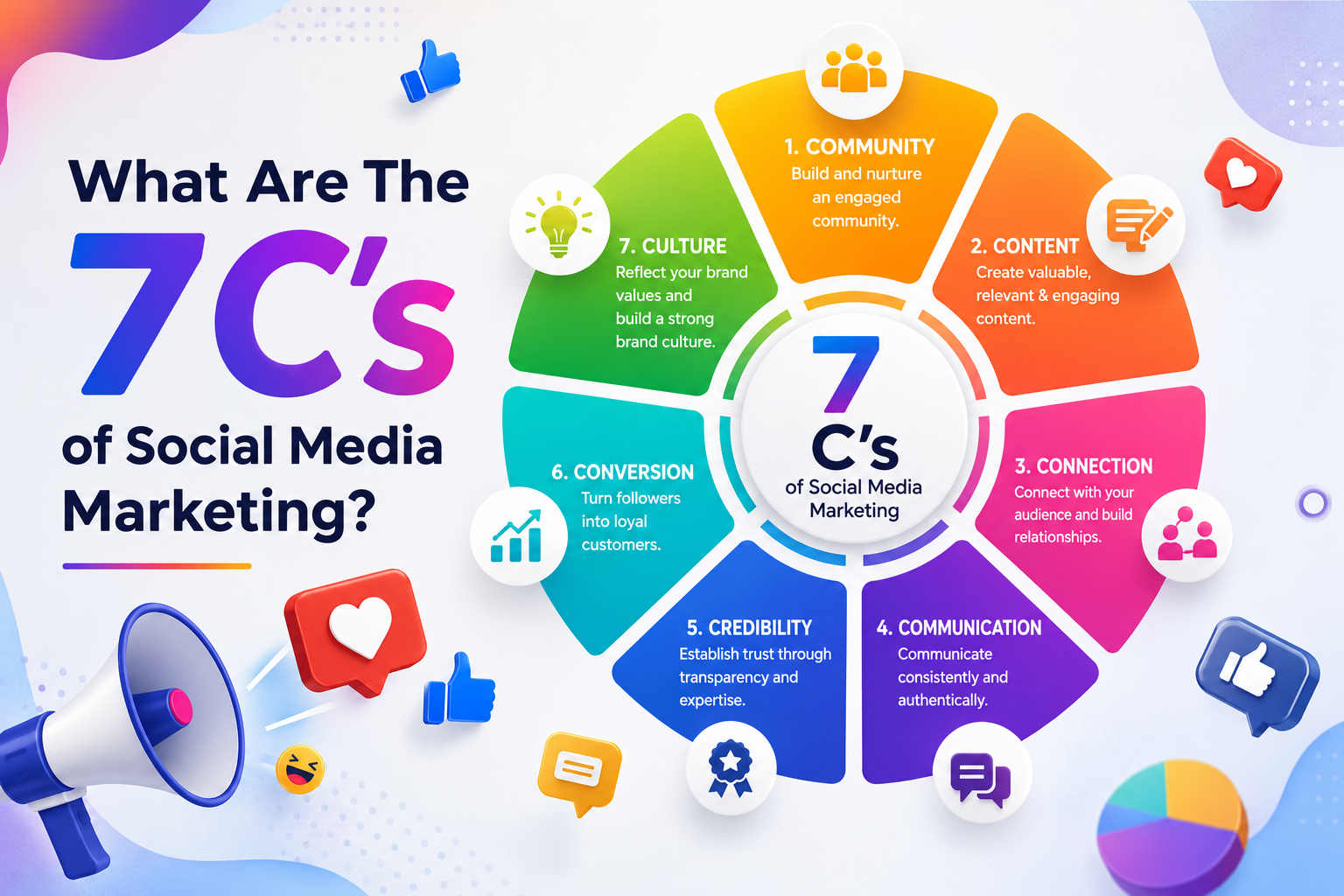
What Are The 7 Cs of Social Media Marketing?
The 7 Cs of Social Media Marketing are Content, Community, Conversation, Connection, Consistency, Credibility, and...
Google Removed FAQ Rich Results, But FAQs Still Help AI Find and Cite Your Website
Short Answer: Yes, FAQs Still Matter More Than Ever Google removed FAQ rich results. A...

How Social Proof and Trust Signals improves Conversion Rate
Social proof and trust signals work. Full stop. Products with just 5 reviews sell 270%...
