Core Web Vitals: Common Issues and How to Fix Them
December 10 , 2025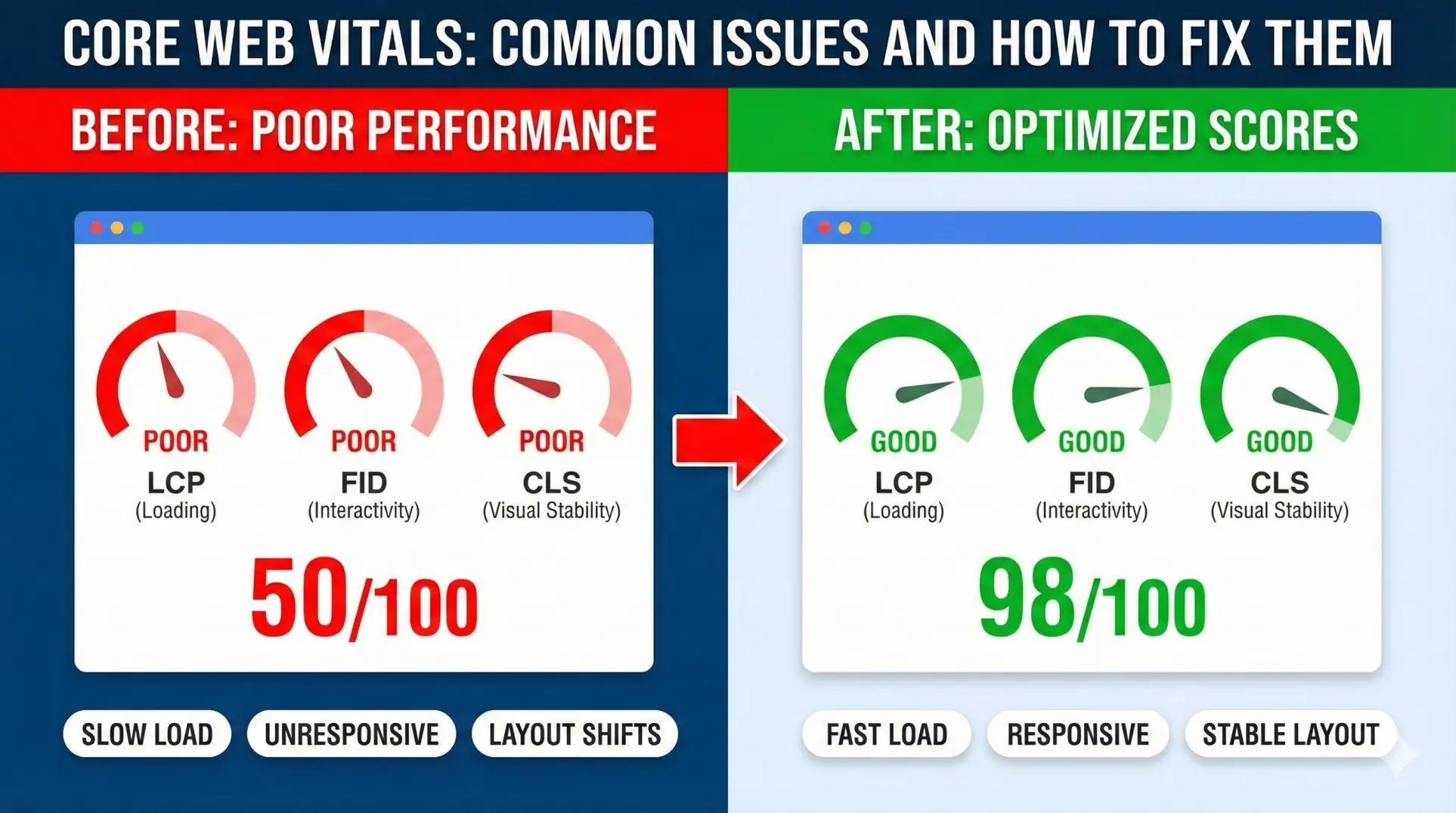
Your website is probably bleeding money. Not intentionally. But it’s happening.
A visitor lands on your page. It feels slow. The content jumps around while loading. They click something and nothing happens. So they leave. Two seconds later, they’re on a competitor’s site instead.
That’s the story. And it repeats thousands of times every day across most websites.
Here’s what’s really costing business owners: Most websites still feel like they’re from 2018. They’re sluggish. Unstable. Frustrating to use. And Google notices.
This is where Core Web Vitals come in. Think of them as Google’s report card for your website’s actual user experience. Not fancy design. Not clever copy. Not flashy graphics. Just how it actually feels to use the site.
Today, Core Web Vitals affect four critical things:
Your search rankings — Google literally downranks slow, unstable sites.
User experience — People decide if they trust you in the first 2 seconds.
Conversions — A slow site loses sales. A stable site keeps them.
AI engine visibility — ChatGPT, Gemini, Perplexity, and other AI engines pull answers from fast, well-structured websites. Slow sites get ignored.
If your site feels clunky, Google knows. AI engines know. Visitors know. And they’re all choosing your competitors instead.
What Are Core Web Vitals? (Simple Explanation)
Stop. I’m not going to throw technical jargon at you. This is simple.
Google measures three things about how your website actually performs. Think of them as a health check for your site.
LCP — Largest Contentful Paint
How fast does the main thing on your page actually load? The hero image. The headline. The product photo. The big thing that tells visitors what you’re about. If this takes more than 2.5 seconds, visitors get bored and leave.
INP / FID — Interaction to Next Paint (or First Input Delay)
You click a button. Does something happen immediately? Or does the site feel frozen for a second? That delay is what we’re measuring. If there’s a lag, people notice. They think the site is broken. They bounce.
You’re reading an article. Suddenly an ad loads and the text jumps down two inches. That jump is a layout shift. Or you’re about to click a button when an image loads above it and the button moves. Annoying, right? That’s CLS. Google hates it because users hate it.
Here’s why this matters to Google: These three metrics actually measure how smooth, fast, and reliable your site feels. Better experience means happy visitors. Happy visitors mean lower bounce rates. Lower bounce rates mean Google should rank this site higher.
Simple as that.
Why Core Web Vitals Impact Google Rankings
Let’s connect the dots between performance and visibility.
Google’s goal isn’t to list websites. It’s to send people to websites that won’t frustrate them. A site that loads in 0.8 seconds and never jumps around does that. A site that takes 5 seconds and has content shifting all over the place doesn’t.
Here’s what happens:
When your Core Web Vitals are weak, your bounce rate goes up. People arrive and leave quickly. Google sees that. It says, “Hmm, people are bouncing from this site. Maybe it’s not good. Let me show it to fewer people.”
When your Core Web Vitals are strong, people stay longer. They engage more. They click around. Google sees that and says, “This is a good site. More people should see it.”
The math is straightforward: Better Core Web Vitals lead to better rankings, higher click-through rates, more qualified traffic, and more conversions.
One study showed businesses that improved Core Web Vitals from poor to good saw a 28% improvement in search visibility within three months. That’s not theoretical. That’s real.
Why Core Web Vitals Now Affect AI Engines (LLMs)
Here’s something most business owners don’t realize: Search isn’t just Google anymore.
ChatGPT Search. Perplexity. Google’s Gemini. Microsoft’s Copilot. They’re all pulling answers from websites. When someone asks ChatGPT a question, it goes and finds sources. Those sources need to be websites it can actually read, understand, and extract information from cleanly.
Fast, stable websites that render cleanly? AI loves them. Slow, buggy websites? AI struggles to parse them.
Core Web Vitals help in a few specific ways:
Crawlability — Fast-loading sites are easier for AI to crawl. The content loads predictably.
Readability — A stable page with no layout shifts is easier for AI to understand structure and content.
Content Quality Signals — Google ranks well-performing sites higher. AI engines pull from highly-ranked sources. Better Core Web Vitals help in this chain.
Data Extraction — When content stays stable while loading, AI can extract information accurately. When things jump around, the AI gets confused.
So here’s the real scenario: You have good content. But your site is slow and janky. Google ranks you lower. AI engines are less likely to pull your content. You get buried in both search and in AI answers.
Meanwhile, your competitor with good content on a fast site? They’re showing up in both Google and ChatGPT answers. Getting double the visibility.
The Most Common Core Web Vitals Problems
Let’s talk about what actually goes wrong. These are real problems facing most websites right now.
Slow Largest Contentful Paint (LCP)
Your main image or headline takes forever to load. Usually because the image file is huge, you’re using a heavy slider library, or your hosting is slow. Visitors see a blank screen. They wait. They leave.
Poor Interaction Speed (INP/FID)
You click a button and there’s a noticeable delay before anything happens. JavaScript isn’t optimized. Too many plugins running. Code bloat. The site feels broken even though it works.
Bad Layout Shift (CLS)
Ads load and push content down. Images don’t have size attributes so the browser doesn’t reserve space. Dynamic content loads late. The page is stable for 2 seconds, then everything jumps. People get frustrated. They don’t trust the site.
Render-Blocking Files
CSS and JavaScript files are forcing the page to wait before showing anything. The browser has to download, parse, and execute these files before it can display content. Users stare at a blank screen.
Unoptimized Images
Images are massive. Original photos from a camera, 4MB each, loaded directly to the website. Wrong formats (JPEG when WebP would be half the size). No compression. No lazy loading.
Too Many Third-Party Scripts
Analytics tools. Chat widgets. Pop-up builders. Affiliate trackers. Advertising pixels. Each one adds weight and complexity. Each one slows the site down.
Poor Mobile Optimization
The desktop site is fast. The mobile site is a nightmare. Heavy pop-ups. Unoptimized images. Text too small. Layout broken. In a mobile-first world, this kills rankings and conversions.
How to Fix Core Web Vitals (Simple Action Steps)
Here’s the good news: You don’t need to rebuild everything. Most Core Web Vitals issues can be fixed with targeted improvements.
Fix 1: Improve LCP (Fast Main Content Loading)
Compress images before uploading. Use modern formats like WebP or AVIF instead of basic JPEG. Switch to faster hosting if yours is slow. Preload your hero images so they load first. Remove massive sliders and animations that delay content.
Fix 2: Improve INP/FID (Instant Interaction)
Reduce JavaScript. Seriously. Many sites load 10x more JavaScript than they need. Remove unused plugins. Switch to a lightweight theme. Lazy-load scripts that aren’t needed immediately. Use a CDN to deliver resources faster from servers near your visitors.
Fix 3: Fix CLS (Stop Content From Jumping)
Add width and height attributes to all images so the browser reserves space. Reserve space for ads and dynamic content. Avoid inserting content above existing content. Stabilize your fonts using “font-display: swap” so text doesn’t shift when fonts load.
Fix 4: Remove Render-Blocking Files
Minify CSS and JavaScript (remove unnecessary characters). Combine files where possible. Use defer and async attributes on script tags so they load after content.
Fix 5: Improve Mobile Experience
Test on actual phones. Optimize mobile layout separately from desktop. Avoid heavy pop-ups that slow things down. Use Google’s mobile test tools to see what’s broken on mobile specifically.
Fix 6: Use AI Tools for Optimization
Modern AI can compress images automatically, optimize JavaScript, clean up code, and even tune hosting performance. Tools now exist that analyze your site, identify problems, and fix them with minimal manual work.
Tools to Measure Core Web Vitals
You need to see your actual numbers before you can fix anything. Here are the tools that work.
Google PageSpeed Insights
Your starting point. Tests your site and shows Core Web Vitals scores. Free. Simple. Shows what’s wrong and suggests fixes.
Google Search Console
Shows your Core Web Vitals data across your whole site. Shows which pages are failing. Tells you which issues affect the most pages.
Lighthouse
Built into Chrome. Runs a detailed performance audit. Shows waterfall charts and specific problems. Technical but helpful.
Chrome DevTools
The browser’s built-in developer tools. See exactly where time is being spent loading your page.
WebPageTest
More detailed than PageSpeed Insights. Shows load waterfalls. Compares performance across locations.
Cloudflare Speed Tools
If you use Cloudflare CDN, they have integrated speed testing and optimization recommendations.
AI Auditors
New tools use AI to analyze your site, identify Core Web Vitals issues, and recommend fixes in plain English. Some even automate fixes.
Test monthly. Watch the trend. When a number drops, fix it immediately.
Using these tools regularly helps you follow a technical SEO checklist for website performance and user experience.
How Fixing Core Web Vitals Boosts Conversions
Let’s talk dollars and cents.
Every second your site takes to load, you lose customers. The data is brutal but clear:
A 1-second improvement in loading speed increases conversions by 7%. That’s significant.
But it’s more than just speed. A stable page (low CLS) makes people trust the site more. They feel like a professional team built it. When content jumps around, it feels sketchy.
Faster interaction (low INP/FID) means people actually complete actions. They fill out forms. They click buttons. They don’t get stuck waiting.
Mobile improvements mean local customers can find you and book appointments on their phones without frustration. That translates to real business.
A local service business in Denver improved their mobile Core Web Vitals. Within one month, mobile conversions increased 19%. A month later, they were up 31%. All from making their site faster and more stable on phones.
That’s real revenue impact. Not some theoretical number.
Core Web Vitals, SEO, and LLM SEO: The New Triangle
Here’s the bigger picture nobody’s talking about.
Today, SEO isn’t just Google rankings anymore. It’s a triangle:
Google SEO — Ranking in Google search results. Core Web Vitals matter here.
AI Engine SEO — Getting your content pulled into ChatGPT, Gemini, Perplexity answers. Core Web Vitals help your site be crawlable and understandable.
Site Experience — Keeping visitors once they arrive. Core Web Vitals matter here too.
Here’s how it flows: You have good content on a fast, stable site (good Core Web Vitals). Google ranks it higher because the experience is good. AI engines find it, rank it higher, and pull it into answers. More people see it in both places. More traffic arrives. You rank in ChatGPT answers because your site is fast and easy to read. You get visitors from multiple sources instead of just Google.
Ignore Core Web Vitals and you lose on all three counts. Fix them and you win everywhere.
Simple Checklist for Business Owners
Bookmark this. Use it monthly.
Core Web Vitals Checklist:
□ Does my site load the main content in under 2.5 seconds?
□ Do images load quickly without excessive file sizes?
□ Does the site respond instantly when I click buttons?
□ Does anything shift or jump while the page is loading?
□ Is the mobile experience fast and smooth?
□ Are JavaScript files optimized and not blocking the page?
□ Do I test my Core Web Vitals monthly?
□ Can AI engines easily crawl and understand my content?
□ Is my site structured in a way that’s reader-friendly for LLMs?
If you can honestly check all these boxes, you’re ahead of 90% of websites. If you’re missing some, prioritize the ones affecting conversions first.
FAQs: Quick Answers for Business Owners
Do Core Web Vitals Affect My Google Ranking?
Yes. They’re a ranking factor. Not the biggest one, but significant. A site with perfect Core Web Vitals will rank higher than an identical site with poor Core Web Vitals.
How Fast Is “Good” for a Website?
Aim for under 2.5 seconds to load main content. Under 100ms for interaction. Near-zero layout shift. Mobile should load under 3 seconds.
Can Small Websites Improve Core Web Vitals?
Absolutely. Usually small sites have fewer problems. Fix image sizes, remove unused plugins, and get good hosting. Big improvement happens fast.
Do I Need a Developer to Fix These Issues?
Not always. Simple fixes like image compression, removing plugins, and using Google PageSpeed recommendations can be done by anyone. Complex fixes might need a technical person.
How Do Core Web Vitals Affect AI Engines?
Fast, stable sites are easier for AI to read and extract content from. Better Core Web Vitals help rank in ChatGPT and other AI search results.
Are Core Web Vitals a One-Time Setup?
No. Test monthly. When you add new features, images, or plugins, Core Web Vitals can drop. Stay on top of them.
Final Thoughts: Fast Sites Win Today
Here’s the truth: Core Web Vitals aren’t technical details. They’re business essentials.
A slow, unstable website isn’t just annoying. It costs revenue. It loses rankings. It gets ignored by AI engines. It damages trust. It frustrates visitors into choosing competitors.
A fast, stable website wins everywhere. Better Google rankings. Better AI visibility. Better conversions. Better user trust.
The websites that win will be the ones that load in under 2.5 seconds, respond instantly to clicks, and feel stable while loading. The slow ones will disappear from view—both in Google and in AI search results.
You get to pick which category you fall into. Fix your Core Web Vitals now, and you’ll be ahead of most businesses. Ignore them, and you’ll keep losing visitors and revenue to competitors who took five minutes to improve their site.
The choice is obvious.
Ready to Fix Your Core Web Vitals and Boost Rankings?
Most business owners know their site isn’t as fast as it should be. But they don’t know where to start. What’s the priority? What’s the fix? How long will it take?
We help businesses improve Core Web Vitals, boost Google rankings, and increase conversions. Our technical SEO services include comprehensive site audits, performance improvements, and ongoing optimization.
From improving LCP to fixing layout shifts to ensuring your site ranks in ChatGPT and other AI engines—we handle it all.
Popular Post

How Social Proof and Trust Signals improves Conversion Rate
Social proof and trust signals work. Full stop. Products with just 5 reviews sell 270%...

What Are Common CRO Mistakes (And How to Fix Them)
Right now, your website is probably leaving 20–50% of potential customers on the table. Not...

What Is the 80/20 Rule in SEO?
The 80/20 rule in SEO is simple: 20% of your work drives 80% of your...
