Schema Markup for AI Search: Complete Guide
June 10 , 2022
Search is changing. Not in small ways—in fundamental ways. The rise of AI-powered search means that old SEO tactics alone won’t cut it anymore. If you want your content to show up in AI overviews, get cited by ChatGPT-style answers, or rank in the next generation of search, you need to understand schema markup.
Here’s the truth: schema markup used to be optional. Now? It’s becoming essential. AI systems need to understand what your content actually says. Plain HTML can’t deliver that clearly enough.
What Is Schema Markup?
Schema markup is code you add to your website that explains what your content means. It’s like adding a label that says: “This is an article,” “This person is the author,” or “This product costs $29.99.”
Think of it this way. When a human reads a webpage, they see text, images, and can infer meaning from context. A search engine? It needs help. Schema markup provides that help in a machine-readable format that takes the guesswork out of understanding your page.
Human vs Machine Understanding
Your browser displays a beautiful blog post. You read the title, skim the content, see the author’s name at the bottom. It all makes sense to you instantly.
A search engine crawler sees the same page differently. It sees HTML code. Without schema markup, it has to guess: Is this really an article? Who wrote it? When was it published? Is that name in the footer actually an author or just part of a template?
Schema markup removes the guessing game. It says directly: “This is an article. Sarah Chen wrote it. Published on January 15, 2025.” No ambiguity.
Why Plain HTML Is Not Enough
HTML tells a browser how to display things. A heading tag (<h1>) means “make this big and bold.” A <p> tag means “put space around this paragraph.” But HTML doesn’t tell machines what the content means.
Consider this example. You write a page about “Apple Pie.” Is “Apple” the fruit or the company? Is “Pie” a dessert or something else? Human readers know from context. AI systems? They need schema markup to be sure.
Without structured data, AI can misinterpret your content. It might not recognize your author, miss your publication date, or fail to understand your page’s purpose entirely. Schema markup speaks the language that machines actually understand.
What Is AI Search?
AI search is fundamentally different from the traditional “10 blue links” approach. Instead of just listing relevant pages, AI search generates answers directly.
How AI Search Works
When you ask an AI search system a question, it doesn’t simply match keywords to page titles. It reads content, understands nuance, identifies the most accurate information, and synthesizes an answer from multiple sources. Then it cites those sources.
This process involves parsing massive amounts of text, extracting key facts, understanding relationships between concepts, and assembling a coherent response. Traditional keyword matching can’t do any of that. AI search requires semantic understanding—knowing what words and phrases actually mean in context.
Difference from Traditional Search
Traditional search: You search for something, get a list of pages that contain your keywords, and click through to find answers.
AI search: You ask a question. The system generates an answer directly, pulling from multiple sources. The answer appears at the top, and sources are cited below.
Google’s AI Overviews are a perfect example. Ask Google “how much protein in chicken breast?” and you’ll see an answer synthesized from multiple sources, right there above the search results. You don’t have to click through and do research yourself.
Examples of AI Answers
Ask: “What’s the best way to train for a marathon?” AI search gives you a custom answer pulling from running guides, expert advice, and real experiences—all sourced.
Ask: “Compare Shopify vs WooCommerce.” AI generates a comparison based on actual feature articles and reviews.
Ask: “Why is my tomato plant turning yellow?” You get a diagnostic answer based on gardening expertise from multiple sites.
In each case, AI isn’t guessing. It’s reading, understanding, and synthesizing. And schema markup helps it understand your content correctly.
Why Schema Markup Matters for AI Search
Here’s why every content creator should care about this now.
Helps AI Understand Meaning
When your page has proper schema markup, AI systems don’t have to guess what you’re saying. You tell them directly. This means your content gets interpreted accurately. No misunderstandings. No context lost in translation.
If you’re writing a product review, schema markup identifies it as a review, includes your rating, and shows the product details. AI systems use this clarity to better match your content to user queries.
Improves Content Accuracy
AI systems trained on bad data make bad recommendations. If schema markup is missing or wrong, AI might pick up incorrect information from your page. But when your data is properly structured, AI gets the right facts the first time.
This matters for factual content especially. A medical blog needs schema that shows publication date, author credentials, and reviewed status. An e-commerce site needs accurate product pricing and inventory. Without schema, AI can’t verify accuracy—and may skip your content entirely.
Increases Citation Chances
Here’s the practical benefit: pages with good schema markup get cited more often by AI search systems. That’s not a guess. It’s what we’re seeing across the industry.
Think about it. If you’re an AI system trying to cite a source, would you pick content that’s clearly structured and easy to verify? Or content that requires you to guess what’s actually being said? You’d pick the structured content.
Schema markup makes your content “citable.” It signals to AI systems: “Trust me. My information is organized and accurate.”
How AI Uses Structured Data
Let’s get into the mechanics. How do AI systems actually use the schema markup you add?
Data Extraction
AI systems parse schema markup like miners extracting gold. They look for specific fields: author name, publication date, price, rating, ingredients. Having these clearly labeled in schema makes extraction instant and accurate.
Without schema, AI has to use natural language processing to guess these facts. That’s slower and more error-prone. With schema, it’s definitive.
Entity Recognition
Entities are things. People, places, organizations, products. Schema markup helps AI systems identify entities correctly. When you mark up “Steve Jobs” as an author using proper schema, AI knows this refers to the person, not just a random string of text.
This matters for disambiguation. If your article mentions both “Apple the company” and “apple the fruit,” schema markup helps AI distinguish between them.
Context Matching
AI needs to understand not just what your content says, but why it matters. Schema helps provide that context. Is this a news article, a product listing, a how-to guide? Schema answers that immediately.
Context helps AI match your content to the right queries. A product guide with proper schema gets matched to shopping queries. A news article gets matched to news searches. Wrong schema? Your content shows up in the wrong context entirely.
Schema Types That Matter Most for AI
Not all schema is created equal. Some types are more valuable for AI search than others. Here’s what actually moves the needle.
Article Schema
Article schema tells AI: “This is published writing with an author, date, and content.”
Blogs. If you run a blog, Article schema is your foundation. It identifies your posts as articles, includes headlines, authors, publication dates, and content summaries.
Guides. How-to guides, tutorials, comprehensive guides—all benefit from Article schema. It signals that this is authoritative, written content with genuine expertise.
Thought leadership. When you’re publishing opinion pieces or analysis, Article schema helps AI understand that this is authored expertise, not generic web content.
Why it matters for AI: Article schema helps AI search systems identify your best, most trustworthy content. That content gets prioritized for citation.
FAQ Schema
FAQ schema is straightforward. It’s question-answer pairs marked up in a way AI can parse easily.
Conversational answers. AI systems are moving toward conversation-like responses. FAQ schema fits that perfectly. Your Q&A gets fed directly into AI systems that answer questions.
Voice and AI queries. As voice search and AI assistants grow, FAQ schema becomes more important. These systems love structured Q&A—it matches how people ask questions naturally.
Having well-structured FAQs with proper schema means your answers show up in voice search results and AI responses.
Here’s a real FAQ schema example:
<script type="application/ld+json">
{
  "@context": "https://schema.org",
  "@type": "FAQPage",
  "mainEntity": [
    {
      "@type": "Question",
      "name": "How do I implement schema markup?",
      "acceptedAnswer": {
        "@type": "Answer",
        "text": "Choose your schema type, write JSON-LD code, and test with Google's Rich Results Test tool before publishing."
      }
    },
    {
      "@type": "Question",
      "name": "Does schema markup help with AI search?",
      "acceptedAnswer": {
        "@type": "Answer",
        "text": "Yes. Schema markup helps AI systems understand your content accurately and increases your chances of being cited in AI responses."
      }
    }
  ]
}
</script>
Organization Schema
This one’s about trust. Organization schema tells AI about your company, your credibility, your location, and your contact details.
Brand trust. AI systems consider the source. Is this published by a reliable organization? Organization schema helps establish that. It shows contact information, address, logo, and social profiles—all signals of legitimacy.
Authority signals. AI needs to evaluate source authority. Organization schema provides critical context: How long has this company existed? Who founded it? What’s their reputation? That information helps AI decide how much weight to give your content.
For any business content, Organization schema is non-negotiable.
Here’s what Organization schema looks like:
<script type="application/ld+json">
{
  "@context": "https://schema.org",
  "@type": "Organization",
  "name": "Rushik Shah",
  "url": "https://rushikshah.com",
  "logo": "https://rushikshah.com/wp-content/uploads/2021/12/rushic_shah_logo-768x269.webp",
  "foundingDate": "2006",
  "address": {
    "@type": "PostalAddress",
    "streetAddress": "803, Corporate House",
    "addressLocality": "Navranpura",
    "addressRegion": "Ahmedabad",
    "postalCode": "380006",
    "addressCountry": "IN"
  },
  "contactPoint": {
    "@type": "ContactPoint",
    "contactType": "Customer Support",
    "telephone": "+91-9825270174",
    "email": "rushik@rushikshah.com"
  },
  "sameAs": [
    "https://www.facebook.com/rushikshahauthor/",
    "https://twitter.com/rushik?lang=en",
    "https://www.linkedin.com/in/rushikshah1/"
  ]
}
</script>
Author Schema
Author schema identifies who wrote something. Name, bio, credentials, social profile.
Expertise proof. E-E-A-T matters massively in AI search. (That’s Experience, Expertise, Authoritativeness, Trustworthiness.) Author schema shows that your content has a real person behind it with real credentials.
EEAT support. When your author schema includes social profiles, credentials, and publication history, AI systems can verify expertise. This is increasingly important as AI tries to filter out low-quality content.
An article without author schema? AI might treat it like generic web content. The same article with rich author schema? It’s attributed to a verified expert.
Here’s Author schema in action:
<script type="application/ld+json">
{
  "@context": "https://schema.org",
  "@type": "Person",
  "name": "Rushik Shah",
  "url": "https://rushikshah.com/",
  "image": "https://rushikshah.com/wp-content/uploads/2023/09/img2.webp",
  "jobTitle": "Technical SEO Specialist",
  "description": "18+ years experience in technical SEO and AI search optimization",
  "sameAs": [
    "https://twitter.com/rushik?lang=en",
    "https://www.linkedin.com/in/rushikshah1/"
  ],
  "affiliation": {
    "@type": "Organization",
    "name": "Rushik Shah"
  }
}
</script>
Product & Service Schema
E-commerce and service-based businesses need this. Product schema tells AI about pricing, availability, reviews, and features.
Commercial intent. AI systems need to understand commercial pages. When someone searches “best running shoes,” AI needs product data. Product schema provides exactly that—prices, ratings, features, availability.
Feature clarity. Instead of AI guessing what features your product has, schema markup lists them. Better AI understanding means better matching to searches about specific features.
Schema is how your products actually get found in AI search. Without it, you’re invisible.
Here’s a Product schema example:
<script type="application/ld+json">
{
  "@context": "https://schema.org/",
  "@type": "Product",
  "name": "Ultra Running Shoes Pro",
  "image": "https://example.com/shoes.jpg",
  "description": "Professional-grade running shoes with advanced cushioning",
  "brand": {
    "@type": "Brand",
    "name": "SpeedRun"
  },
  "offers": {
    "@type": "Offer",
    "url": "https://example.com/shoes",
    "priceCurrency": "USD",
    "price": "129.99",
    "availability": "https://schema.org/InStock"
  },
  "aggregateRating": {
    "@type": "AggregateRating",
    "ratingValue": "4.7",
    "reviewCount": "2341"
  }
}
</script>
Schema Markup for Google AI Overviews
Google’s AI Overviews are reshaping how search works. So understanding how to get there matters.
How Google Selects Sources
Google doesn’t pick sources randomly. It uses a combination of ranking factors, content quality, and something increasingly important: data structure.
Google’s systems analyze which pages have reliable, verifiable information. And guess what makes information easiest to verify? Structured data. Pages that use schema markup are easier for Google to evaluate for accuracy, currency, and reliability.
A technical SEO expert understands that schema markup influences which sources Google includes in AI Overviews. It’s not magic—it’s just making verification easier.
Role of Structured Data
Structured data does heavy lifting here. When Google builds an AI Overview, it needs to pull accurate information quickly. Schema markup provides that at machine speed.
If you’re in a competitive space where AI Overviews appear for your keywords, having schema markup isn’t optional. It’s what determines whether you get included.
Common Mistakes
Many sites add schema markup but do it wrong. Some common errors:
Outdated information in schema. If your schema shows a publish date from three years ago but your article is recent, you’re sending conflicting signals. Keep schema current.
Schema that doesn’t match page content. You can’t mark something up as one type when it’s actually another. Mismatches get penalized.
Missing critical fields. Your Article schema might include title and author but forget the publication date. Incomplete schema is worse than generic schema.
Test everything. Don’t assume your schema is correct just because you added it.
How to Implement Schema Markup
Now for the practical part. How do you actually add this to your site?
JSON-LD Format Explained
JSON-LD (JSON for Linked Data) is the format Google prefers. It’s clean, easy to maintain, and doesn’t require changes to your HTML structure.
Why Google prefers it. JSON-LD sits separate from your HTML. You can add it without touching your page code. It’s flexible, scalable, and handles complex data relationships well. Google explicitly recommends JSON-LD in their documentation.
Easy to maintain. Since JSON-LD is separate, you can update schema without worrying about breaking your page layout. Content management systems can inject JSON-LD automatically. It’s maintainable at scale.
JSON-LD looks like this:
<script type="application/ld+json">
{
  "@context": "https://schema.org",
  "@type": "Article",
  "headline": "Schema Markup for AI Search",
  "author": {
    "@type": "Person",
    "name": "Sarah Chen"
  },
  "datePublished": "2025-01-15"
}
</script>
That’s it. One script tag containing structured data. Your page renders normally, but machines can read the schema clearly.
Step-by-Step Setup
Choose schema type. First, decide what your content actually is. Article? Product? FAQ? FAQPage? Start there. Don’t force content into the wrong schema type.
Add JSON-LD. Write your JSON-LD object with the relevant fields for that schema type. Include required fields and as many recommended fields as apply to your content.
Test with tools. Use Google’s Rich Results Test or Schema.org’s validation tool to check your markup. Fix any errors or warnings before publishing.
It takes maybe ten minutes per page. For high-traffic content, it’s absolutely worth doing. For every page? Start with your most important pages and expand from there.
Schema for AI: Quick Summary
Before we dive deeper, here’s what you need to know in one place:
What it is: Machine-readable code that tells AI systems what your content means.
Why it matters: AI search systems cite content that’s clearly structured and easy to verify.
How it works: You add JSON-LD code in a script tag. AI systems parse it to understand content type, authorship, dates, pricing, and more.
Best types for AI: Article, FAQ, Organization, Author, and Product schemas are highest priority.
What to do now: Start with your top 10-20 pages. Add the right schema. Test it. Monitor results.
That’s honestly all you need to get started. The rest is just doing it consistently.
Schema Checklist for AI Search
Here’s your quick reference. Use this before publishing any page with schema:
| Requirement | Article | FAQ | Product | Organization | Author |
|---|---|---|---|---|---|
| Headline/Name | ✓ | ✓ | ✓ | ✓ | ✓ |
| Description/Text | ✓ | ✓ | ✓ | ||
| Author/Person | ✓ | ✓ | |||
| Publication Date | ✓ | ||||
| URL | ✓ | ✓ | ✓ | ✓ | |
| Image | ✓ | ✓ | |||
| Price | ✓ | ||||
| Rating/Review | ✓ | ||||
| Contact Info | ✓ | ||||
| Social Profiles | ✓ | ✓ | |||
| Credentials | ✓ | ||||
| Validated & Tested | ✓ | ✓ | ✓ | ✓ | ✓ |
How to use this: Go through each column that applies to your content. Check off each requirement. Publish only when all boxes are checked. This takes five minutes and prevents 90% of schema problems.
Best Practices for AI-First Schema
If you’re implementing schema with AI search in mind, follow these rules.
Match Content Intent
Your schema should accurately describe what’s on the page. This seems obvious, but you’d be surprised. I’ve seen product pages marked as articles. News content marked as product guides.
AI systems flag mismatches. Your content gets deprioritized. Don’t do that. Mark things correctly.
Avoid Fake Data
Never fill in schema fields with data that isn’t actually on your page. Don’t invent author credentials or make-up publication dates. AI systems increasingly validate schema against actual content.
Bad schema is worse than no schema. It signals dishonesty.
Keep Schema Updated
If you change your content, update the schema. New publication date? Update it. Changed the author? Update that too. Stale schema causes problems.
Set a reminder to audit schema once quarterly. It takes an hour and prevents real problems.
Common Schema Mistakes to Avoid
Let’s talk about what kills schema effectiveness.
Over-Marking Pages
Some sites mark up everything. Every paragraph gets its own schema. Every sentence is tagged.
Don’t do this. Mark up the main content type meaningfully. Over-marking dilutes the signal and confuses crawlers.
Mismatched Content
Your article schema says it was published on January 1st. But the page shows “Updated January 20th” prominently. Your author schema lists someone different from who’s actually credited in the byline.
Mismatches scream “this content can’t be trusted.” AI filters it out.
Ignoring Validation
Add schema, publish it, and immediately validate it. Use Google’s tools. Check for errors. Fix them. Don’t publish schema you haven’t validated.
Broken schema creates worse problems than no schema.
Measuring Impact on AI Search
How do you know if schema markup is actually working?
Google Search Console
Google Search Console shows you when your content appears in AI Overviews. Check the Performance report, and filter by “Yes” under the AI Overview column. This shows which pages are getting picked up.
If you add schema and see no increase in AI Overview appearances, something’s wrong. Investigate.
AI Citation Tracking
Watch for your site being cited in AI search results. Some tools now track this. See how often AI systems cite your content. As you improve schema, citations should increase.
It’s not perfect data, but it’s a signal.
Visibility Signals
Monitor search traffic patterns. Pages with quality schema should see more traffic as AI Overviews drive more clicks to cited sources. It’s gradual, but the trend should be upward.
A technical SEO checklist for AI search includes monitoring these metrics monthly.
Future of Schema Markup in AI Search
Where is this headed? What should you prepare for?
AI-Native Search Trends
Search is becoming less about keyword matching and more about semantic understanding. Schema markup enables that. As AI becomes more central to search, structured data becomes more essential.
The sites that win will be those that make it easiest for AI systems to understand their content. Schema markup is how you do that.
Entity-Driven SEO
SEO is shifting from page-level optimization to entity-level optimization. Your brand, your products, your expertise—all need to be crystal clear to AI systems.
This is bigger than schema markup, but schema is a critical part of it. You need to establish entities (your company, products, authors) and connect them properly.
Structured Content Growth
Expect more schema types. Expect more detailed requirements. The industry is moving toward a world where all content is structured by default.
Right now, schema adoption is still relatively low. That advantage won’t last. Sites that implement it now will already be ahead when it becomes standard.
The bottom line? Schema markup used to be nice-to-have. In the age of AI search, it’s table stakes. Your competitors are adding it. Your content is competing against their structured content. Don’t fall behind.
Start today. Choose your most important pages. Add the right schema. Test it. Monitor the results. It’s one of the highest-ROI SEO moves you can make right now.
Popular Post
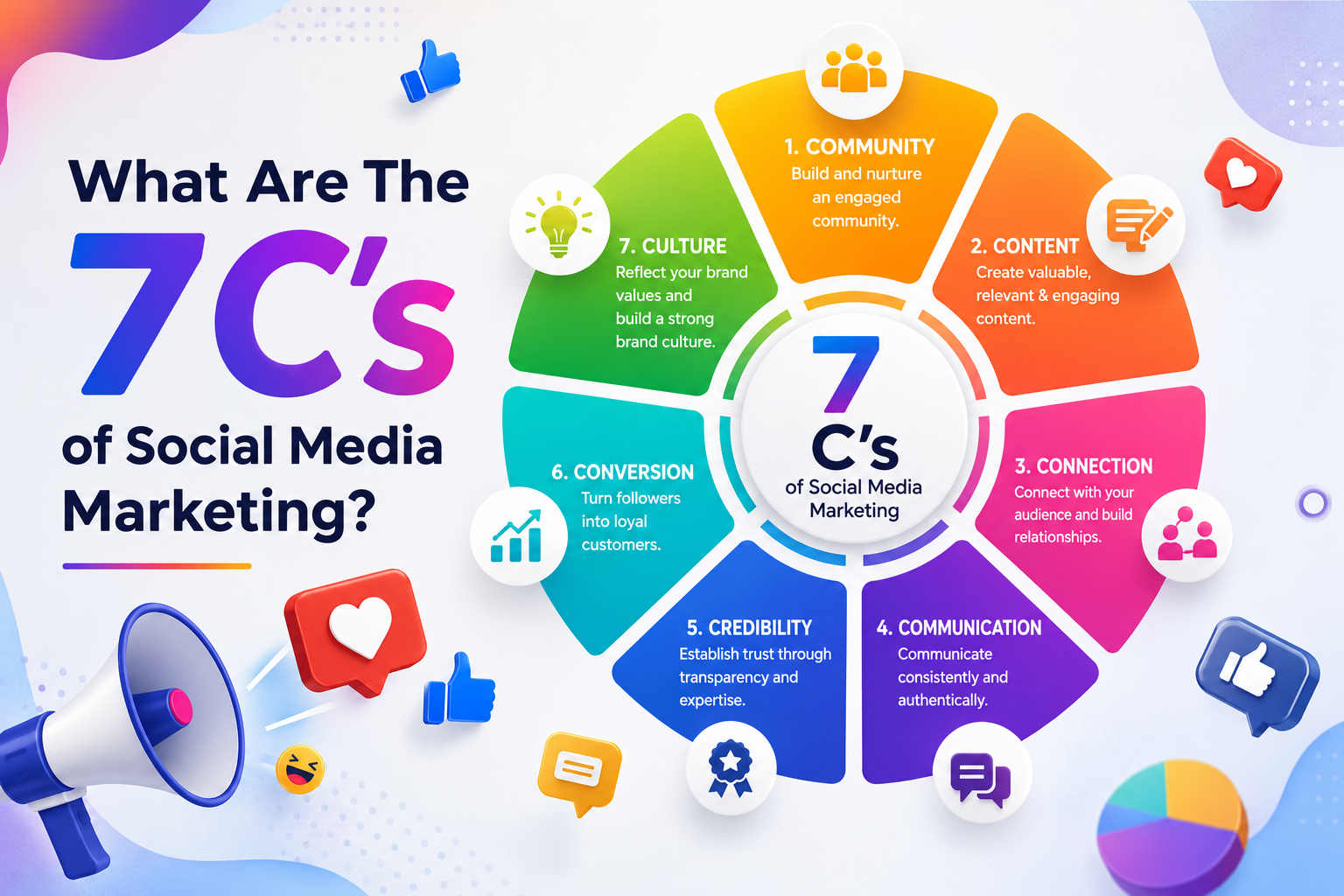
What Are The 7 Cs of Social Media Marketing?
The 7 Cs of Social Media Marketing are Content, Community, Conversation, Connection, Consistency, Credibility, and...
Google Removed FAQ Rich Results, But FAQs Still Help AI Find and Cite Your Website
Short Answer: Yes, FAQs Still Matter More Than Ever Google removed FAQ rich results. A...

How Social Proof and Trust Signals improves Conversion Rate
Social proof and trust signals work. Full stop. Products with just 5 reviews sell 270%...
